
How to get a direct image link for Reddit and Discord
Upload a supported image to ChatPic and copy its Direct URL result. Paste that URL where the community allows links. A chat preview or inline image is controlled by Reddit or Discord, not guaranteed by the image host.
What makes a link a direct image URL?
A direct image URL points to the hosted image file rather than a gallery page or an upload form. Opening it in a browser should show the image when the file is available. A page URL, a local file path and a provider deletion link are different things.
An image URL may contain a generated filename or parameters. A familiar file extension is helpful but not the only test. The useful check is whether the exact URL opens the intended image without a required login.
Create the link in ChatPic
- Open the ChatPic uploader and choose a JPG, PNG, GIF or WebP you are allowed to share.
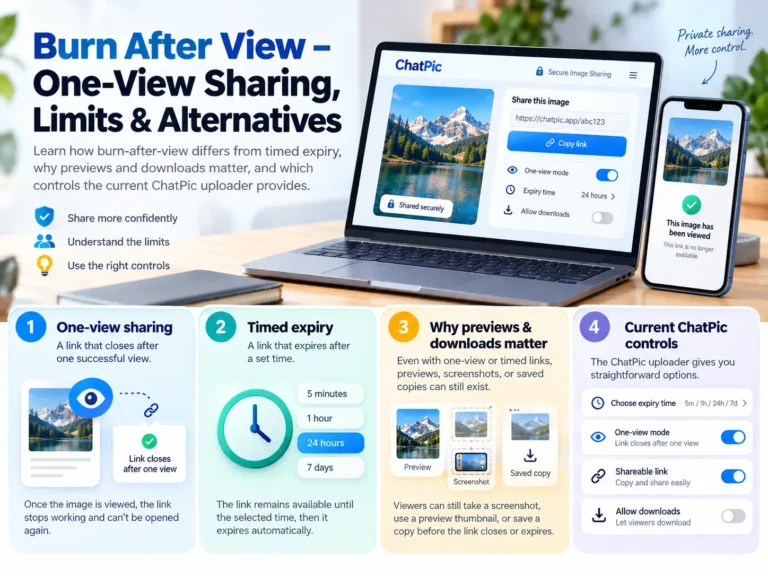
- Remove visible personal details. Select an expiry long enough for the conversation; the default is 24 hours.
- Choose the metadata setting if appropriate, confirm permission and upload.
- In the successful result, select Direct URL and copy the image link.
- Open the copied link in a new browser tab to confirm the image is accessible, then paste it into your destination.
Save a copy of the URL before resetting the page. If the recipient needs it next week, an hour-long expiry is unsuitable. Read the expiry guide before choosing the timer.
Use a direct link on Reddit
Check the subreddit rules and the available post or comment types first. Communities can restrict image uploads, external domains, link posts or particular kinds of content. A working URL is not permission to bypass those rules.
For an ordinary link in Reddit’s Markdown editor, you can use a descriptive text link:
[View the redacted screenshot](https://images.example.org/screenshot.png)The example domain is illustrative. Replace it with your own successful image URL. Reddit’s official formatting guide documents its link syntax and editors.
Do not assume a generic  image snippet becomes an inline Reddit image. Use Reddit’s image-upload control when the community offers and permits it. In a rich-text editor, paste the direct URL or use the editor’s link control; rendered behaviour can differ from Markdown.
Use a direct link on Discord
Paste the direct image URL into a channel where you are allowed to send it. If Discord can fetch the image and its channel settings allow an embed, it may show a preview. The absence of a preview does not by itself mean the URL is broken.
Discord’s channel-permissions documentation distinguishes permissions such as Embed Links and Attach Files. A direct URL is a link; an upload using Discord’s attachment control is a separate action.
If an embed does not appear, open the URL in a browser, check whether the image has expired, and ask the channel administrator whether embeds or that host are restricted. Do not flood the channel with repeated test messages or use another account to evade moderation.
Direct URL, Markdown or BBCode?
| Destination | Start with | Reason |
|---|---|---|
| Ordinary chat or email | Direct URL | Works as a link without relying on image-tag syntax. |
| Reddit Markdown editor | A plain URL or descriptive text link | Reddit’s supported formatting is not identical to every Markdown renderer. |
| Discord message | Direct URL | Discord controls whether it displays an embed. |
| A Markdown-based documentation editor | The generated Markdown when supported | Check the preview and the image’s lifetime. |
| A BBCode forum | The generated BBCode when permitted | The forum must support externally hosted image tags. |
An embed creates another viewing context. A preview service or recipient may cache the picture, so do not treat the original URL’s expiry as erasure from the conversation.
If the link or preview fails
- The URL opens the uploader: copy the successful Direct URL result, not the ChatPic page address.
- The file is unavailable: check the expiry, provider removal and whether you copied the entire URL.
- The link works but no preview appears: check destination permissions and embed behaviour.
- Markdown is displayed literally: use a plain URL or the editor’s supported link control.
- The image contains private information: do not keep reposting it to test previews. Remove or replace the hosted file using the appropriate management or reporting route.
For a repeatable upload error, use ChatPic troubleshooting. For an image concern, use Contact and Image Reports.
Direct-link questions
Will Reddit and Discord display the same preview?
Not necessarily. Each service decides how it fetches, renders, caches or suppresses links. The direct URL can work even when a preview is absent.
Does a direct URL need a .jpg or .png ending?
Not always. The reliable check is whether the URL serves the intended image. Do not rename or alter a provider URL merely to change its appearance.
Can I stop another person forwarding the URL?
The current ChatPic uploader does not enforce that restriction. Use an access-controlled service when recipient identity or confidentiality matters.
One Comment