ChatPic User Manual
This manual documents exactly how the original ChatPic.org worked for users who interacted with it between 2014 and 2023. It covers every feature of the platform — the interface, the upload flow, the channel system, image categories, the comment experience, and what users can and cannot do on the site.
The original ChatPic.org is permanently offline. This manual is a factual historical reference, not a guide to accessing the site today. If you are looking for current access information, read how to access ChatPic in 2026. For the full history and shutdown story, read the complete ChatPic guide.
Important: ChatPic.co.uk is not affiliated with the original ChatPic.org. This manual is provided for educational and historical documentation purposes only.
What ChatPic Was

ChatPic.org was a free, browser-based, anonymous image-sharing platform. It operated from approximately 2014 until late 2023, when it was permanently shut down following legal action in multiple countries related to the platform’s complete lack of content moderation.
At its peak, the platform received over 102,000 daily visitors and 398,000 daily page views. Its user base was primarily in the United States, Spain, and Germany, with significant secondary audiences across Europe, South America, and Southeast Asia.
The platform’s defining characteristic was its zero-registration model. Users could upload images, browse content, vote on posts, and comment — all without any account, email address, or personal information. This model made it uniquely frictionless among image-sharing platforms and drove its rapid growth.
The ChatPic Interface
Homepage Layout
When users opened chatpic.org, they arrived at a single-page interface designed around simplicity. The primary elements visible on the homepage were:
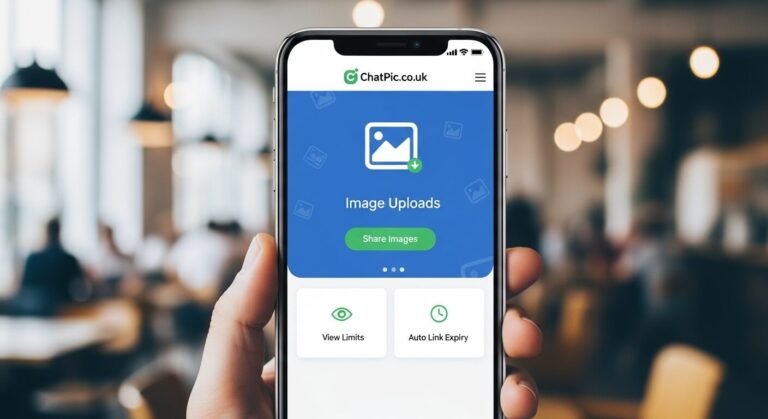
- An upload area — a clearly marked zone, usually centred on the page or prominent in the mobile view, with an upload button. This was the primary call to action for new visitors.
- A category navigation bar — a horizontal or sidebar menu listing the main content categories. Clicking a category took users to that channel’s feed.
- A content feed — the most recently uploaded public images, displayed as a grid or list of thumbnails. The default view typically showed images from all public channels in reverse chronological order.
- A search function — a basic text search allowing users to look for images by category name or keyword. Search functionality was limited compared to major platforms.
The interface was intentionally sparse. There were no profile icons, no follower counters, no trending section, no recommendation algorithm, and no notification badge. Everything was about the content, not the user identity.
Navigation Structure
ChatPic’s navigation was built around three main areas:
- Upload — the primary action, accessible from the homepage and most interior pages.
- Browse — entering any channel or using the category navigation to explore content by topic.
- Direct link — accessing a specific image via its unique URL, which could be used even without visiting the main site.
There were no user profiles to navigate to, no follower feeds, and no personal dashboards. Every navigation path ended at either an upload prompt or an image feed.
The Upload Feature

Accessing the Upload Function
The upload function was accessible from the homepage without any login prompt. Clicking or tapping the upload area opened the device’s native file selection interface.
Supported File Types
The platform accepted the following formats:
JPEG and JPG — the most common format, used for photographs and realistic images. PNG — used for graphics, screenshots, and images requiring transparency. GIF — including animated GIFs, which retained their animation after upload.
The platform did not support HEIC (iPhone default format from 2017 onward), WebP, RAW camera formats, or video files.
File Processing
After selection, files were automatically uploaded and compressed server-side. Users had no control over the compression level or output quality. The compression algorithm prioritised load speed over maximum quality, which meant very high-resolution photographs lost some detail after upload.
Processing typically completed within three to ten seconds on a standard connection.
The Generated Link
After processing, ChatPic displayed two links:
A direct image URL — pointing directly to the image file, suitable for embedding in forums or any platform that renders image URLs as embedded visuals.
A page URL — pointing to the image’s page on ChatPic, which included the comment section and related content. This was suitable for sharing where you wanted recipients to see the discussion alongside the image.
Both links were publicly accessible to anyone without any account requirement on the viewer’s side.
The Channel System
What a Channel Was
A channel on ChatPic was a topic-based feed where users uploaded and browsed images around a common theme. Channels functioned somewhat like subreddits on Reddit or boards on older forum platforms — organised spaces for specific types of content.
Channel Structure
Each channel had a name, a theme description, and a live feed of the 100 most recent uploads. The feed was chronological — newest content appeared first, oldest content scrolled further down.
When a channel reached 100 items and a new image was uploaded, the oldest image in that channel was permanently deleted from the server. This auto-deletion was automatic and not configurable by users.
Main Channels and Categories
The primary content categories available on ChatPic included:
- Photography — user-submitted photographs spanning portraits, landscapes, street photography, events, and creative work. This channel attracted some of the platform’s highest-quality content.
- Memes — viral images, reaction content, image macros, and internet humour. One of the highest-traffic channels on the platform.
- Wallpapers — high-resolution images suitable for use as desktop or phone wallpapers. Content here tended to be wider aspect ratios and higher resolution than other channels.
- Nature — wildlife photography, landscape images, plant photography, weather, and outdoor scenes.
- Gaming — video game screenshots, fan art, gameplay captures, and community content related to specific games.
- General / Random — a catch-all channel for content that did not fit the specific topic categories. This was typically the most varied and unpredictable feed on the platform.
In addition to these main channels, users could create private channels or rooms — dedicated spaces with unique access links that could be shared with specific people for group or private image sharing.
Community Features
Voting
Any visitor could vote on any image in a channel feed using an upvote and downvote system. No account was required to vote. Votes were tracked by the platform but were not tied to any user identity.
Vote counts were visible on images in feeds and on individual image pages. High vote counts did not algorithmically boost content in feeds — the feed remained chronological — but visible vote counts provided a social signal about how other users had responded to a piece of content.
Comments
Each image hosted on ChatPic had an associated comment section. Comments could be posted by any visitor without any registration, login, or identity requirement.
Comments were text only — no image embeds, no formatting, no reactions or emoji in the earlier versions of the platform. Later versions may have added basic reaction functionality, but the core comment experience remained text-based.
Comments were posted immediately with no moderation queue or approval step. No reported comment review process would withhold a comment from public view. This made the comment sections fast and unfiltered, but also meant there was no mechanism to prevent harassment, illegal content, or abusive language.
Guest Participation
The concept of a “guest user” — someone interacting with the platform without any account — was not a limited-access tier on ChatPic. It was the only tier. Every user was a guest of the platform’s design. There was no registered user class with elevated permissions or additional features.
This distinguished ChatPic from platforms like Imgur, where anonymous access was available but account creation unlocked features and created a two-tier experience.
Private Rooms
Beyond the public channel system, ChatPic allowed users to create private rooms — dedicated image-sharing spaces accessible only via a unique link.
Creating a Private Room
Private rooms were created from the main interface with a single action. No configuration was required. The platform generated a unique URL for the room that could be shared directly with intended participants.
Anyone with the room URL could access and participate in it. There was no password protection option and no way to revoke access once the URL had been shared.
How Private Rooms Worked
Private rooms functioned similarly to public channels but were not listed in the public channel directory and were not visible in the general feed. Content uploaded to a private room was only accessible to people with the specific room URL.
The same 100-item limit and auto-deletion applied to private rooms as to public channels. Rooms did not have a configurable expiry time — they persisted as long as the platform operated, or until they were overwritten by newer uploads triggering the auto-deletion cycle.
Use Cases
Private rooms were widely used for group photo sharing events — birthday gatherings, sports events, conferences — where participants wanted to pool photos in one place during or after an event. They were also used for sharing sensitive or personal images with specific recipients rather than the general public.
What ChatPic Did Not Have
Understanding what the platform deliberately excluded is as important as understanding what it included.
- No user accounts or profiles: There was no way to create a persistent identity on ChatPic. No username, no avatar, no profile page, no follower system.
- No direct messaging: ChatPic had no private messaging functionality between users. Communication was only through public or private channel comments.
- No notification system: There were no email notifications, push notifications, or on-site alerts for any user action.
- No image editing tools: ChatPic hosted and shared images but provided no crop, filter, resize, or annotation tools.
- No copyright or attribution system: There was no mechanism to attribute images to their creators, flag copyright violations, or claim ownership of uploaded content.
- No download tracking: Users could not see how many times their image had been viewed or downloaded. There were no analytics of any kind available to uploaders.
- No deletion control for uploaders: Because there were no accounts, there was no ownership record for any upload. Once an image was uploaded, the person who uploaded it had no mechanism to delete it.
Frequently Asked Questions
Did you need an account to use ChatPic?
No. Every feature of the platform — uploading, browsing, voting, commenting, and creating private rooms — was fully accessible without any account, email, or personal information.
Could you see who uploaded an image on ChatPic?
No. The platform displayed no uploader identity on any image. There was no username, profile link, or any other identifier attached to uploads.
What happened to content when ChatPic shut down?
All content was permanently deleted when the servers went offline in late 2023. Images hosted on ChatPic cannot be recovered from any source.
Was there a ChatPic app?
The original ChatPic.org did not have an official native app. The platform operated entirely through mobile and desktop browsers. Some third-party apps claimed to provide ChatPic functionality, but none were official.
Could the private room content be seen by anyone?
Only people with the specific room URL. Private room content was not listed publicly or discoverable through the site’s normal browsing interface. However, anyone who obtained the URL — including via accidental forwarding — could access the room’s content without any additional authentication.
How did ChatPic handle inappropriate content?
It did not. There was no automated content detection, no human moderation team, and no meaningful proactive system for identifying or preventing harmful uploads. Content was removed only reactively, after being reported, and only at the platform operators’ discretion. This absence of moderation was the primary cause of the platform’s eventual legal collapse.