Are ChatPic Mirror Sites Safe? 6 Checks to Find Out 2026
The original ChatPic.org went offline in late 2023, and it is not coming back. But open a browser and search for it today, and you will find dozens of sites still using the name — same colour schemes, familiar upload buttons, and layouts designed to make you feel like you have found the real thing.
You have not.
Most ChatPic mirror sites are not safe. The original ChatPic.org closed permanently in November 2023. Sites using its name since then are independently created and unaffiliated with the original. Several have been found to contain malware scripts or data harvesting forms. Always check the domain registration date and run the URL through VirusTotal before uploading anything.
Every site calling itself ChatPic in 2026 is independently created and completely unaffiliated with the original platform. Some are harmless — built to capture search traffic through advertising revenue. Others are not. Several sites identified between 2024 and 2025 contained scripts that installed tracking software on visitor devices without any action from the user. Others harvested email addresses through fake account creation pages. A handful served content that would expose you to legal risk simply by loading in your browser.
The problem is that they all look similar enough to be plausible. And the people who land on them are often the people least likely to be thinking about website safety — they just want somewhere to upload a photo quickly.
That is exactly what these sites are counting on.
This guide gives you six checks you can run on any site in under five minutes, with no technical knowledge. After these checks, you will know whether the site you are looking at is worth using or worth closing immediately.
Why ChatPic Mirror Sites Exist — and What They Actually Are

When a popular website shuts down without warning, something predictable happens. Thousands of people keep searching for it daily. That search traffic still has value, even after the original is gone. So people build sites to capture it.
Some are genuine attempts to offer a similar service under a familiar name. Most are not. The majority of ChatPic copycat sites fall into one of three categories.
- Traffic-and-advertising sites exist purely to serve ads. You arrive, the page loads enough to look functional, ads fire, and the owner earns a fraction of a cent per visit. Annoying, but generally not dangerous.
- Data harvesting sites disguise themselves as functional platforms. They prompt you to create an account, enter an email address, or verify your identity before you can upload anything. The original ChatPic never required any of that. Any site using the ChatPic name that asks for your personal information is almost certainly collecting it for reasons that have nothing to do with image sharing.
- Malware delivery sites are the most dangerous category. These sites contain scripts that execute the moment the page loads — sometimes displaying nothing unusual while silently installing tracking software, ad injectors, or credential-stealing tools in the background. You do not need to click anything. You do not need to download anything. Visiting the page is enough.
The difficulty is that all three categories can look identical at first glance. Which is why you need to check before you engage.
Check 1 — Look Up the Domain Registration Date
- What to do: Go to who.is or whois.com/whois. Type the full domain name of the site you are checking. Look for the “Created” or “Registration Date” field.
- What you are looking for: The original ChatPic.org went permanently offline in November 2023. Any domain registered after that date has no connection to the original platform whatsoever. The operators who ran the real ChatPic did not migrate to a new domain. They simply disappeared.
A post-November 2023 registration date does not automatically make a site malicious — but it tells you something important. The site was not built to continue ChatPic. It was built to exploit the name. That distinction matters when you are deciding whether to trust it with image uploads, device access, or anything else.
What you might also notice: legitimate sites typically have domain registrations that match their stated history. A site claiming to be “the original ChatPic, back since 2014” with a domain registered in February 2024 is making a claim that the public record directly contradicts.
Red flag: Domain registered after November 2023, particularly if the site implies it is the original platform.
Check 2 — Run It Through Google Safe Browsing
- What to do: Go to transparencyreport.google.com/safe-browsing/search. Paste the full URL of the site you want to check. Google will return one of two responses: either no unsafe content has been found, or it will warn you that the site has been flagged for malware, phishing, or unwanted software.
- What you are looking for: Google’s Safe Browsing system scans billions of URLs to identify sites hosting malicious content. Chrome and other browsers use Safe Browsing to show users a warning message before they visit a dangerous site or download a harmful app. CHATPIC The Transparency Report gives you direct access to the same database your browser consults — meaning you can check a site before visiting it rather than after.
A clean result here does not guarantee a site is trustworthy. Google’s scanning is excellent at catching known threats but does not catch everything, particularly newly created sites running threats that have not yet been indexed. It also does not assess whether a site’s business practices are honest.
A flagged result, however, is definitive. If Google has flagged it, leave immediately.
Red flag: Any warning from Google Safe Browsing. No exceptions.
Check 3 — Check the SSL Certificate Properly
- What to do: Look at the browser address bar when you visit the site. You want to see
https://at the start of the URL, nothttp://. In most browsers, you can click the padlock icon (or the site information icon) to see who issued the certificate and when it expires. - What you are looking for — and what to ignore: Almost every website in 2026 has HTTPS. SSL certificates are inexpensive and easy to obtain from certificate authorities. Many fraudulent sites display the padlock icon while running scams, which is why verifying legitimacy through multiple methods matters. The padlock tells you your connection is encrypted. It tells you nothing about whether the people running the site are trustworthy.
What the certificate details can tell you is more useful. Click the padlock and look at who issued the certificate. Legitimate platforms typically use certificates from well-known certificate authorities — Let’s Encrypt, DigiCert, and Comodo. Look also at the domain the certificate covers. A certificate issued for realmirror-chatpic-uploads.com Covering a site that claims to be the original ChatPic is a meaningful signal that something is misrepresented.
A site without HTTPS at all — serving an image upload form over plain HTTP — is technically unsafe regardless of any other factor. Any image you upload travels unencrypted. Any credentials you enter are transmitted in plain text. This is a hard minimum standard that any legitimate platform meets without exception.
Red flag: No HTTPS. Also: padlock present, but certificate issued to a domain that does not match what the site claims to be.
Check 4 — Look for a Real Privacy Policy and Moderation Statement
- What to do: Scroll to the footer of the site and look for links to a Privacy Policy, Terms of Service, or Content Policy. Click them. Read them — or at least the first few paragraphs.
- What you are looking for: Any platform that handles user-uploaded content in the UK is subject to the Online Safety Act 2023. Under this legislation, platforms must implement systems to reduce the risk that their services are used for illegal content and must have visible mechanisms for users to report problems. A platform with no privacy policy, no terms of service, or no content moderation statement is operating in breach of these obligations.
Beyond legal compliance, the content of these documents tells you something practical. A genuine privacy policy explains what data is collected, how it is stored, how long it is kept, and who it is shared with. A genuine terms of service sets boundaries on what content is permitted. If a site has a “Privacy Policy“ that consists of two sentences or is clearly copied from an unrelated template, that is meaningful information about how seriously the people running it take their obligations to users.
The original ChatPic had almost no content moderation, which contributed directly to its collapse. A site that cannot even produce a convincing moderation policy is unlikely to be doing better.
Red flag: No privacy policy at all. Also: policy text that is clearly generic, unrelated to image sharing, or last updated before the domain was registered.
Check 5 — Scan It With VirusTotal
- What to do: Go to virustotal.com. Click the URL tab. Paste the full address of the site you are checking and press Enter. VirusTotal scans the URL against more than 70 security vendors simultaneously and returns results within seconds.
- What you are looking for: VirusTotal aggregates results from antivirus engines, URL scanners, and domain reputation databases. A clean result across all vendors is a reasonable indicator that the site is not currently serving known malware. A result showing detections from even one or two vendors is worth taking seriously — not every detection is a definitive threat, but multiple flags across different engines significantly increase the probability that the site is harmful.
Pay attention not just to the main domain but also to any redirects the site performs. Some sites appear clean at the domain level but immediately redirect visitors to a different URL that hosts the actual malicious content. VirusTotal shows the full redirect chain, which lets you see where you actually end up when you visit the site.
This check takes approximately thirty seconds and costs nothing.
Red flag: Any security vendor flagging the site. Multiple vendor flags make it a near-certainty.
Check 6 — Test What Happens When You Try to Upload
- What to do: If the site has passed the first five checks and you still want to assess it, do not upload a real image. Instead, observe what happens when you click the upload button — without actually submitting anything.
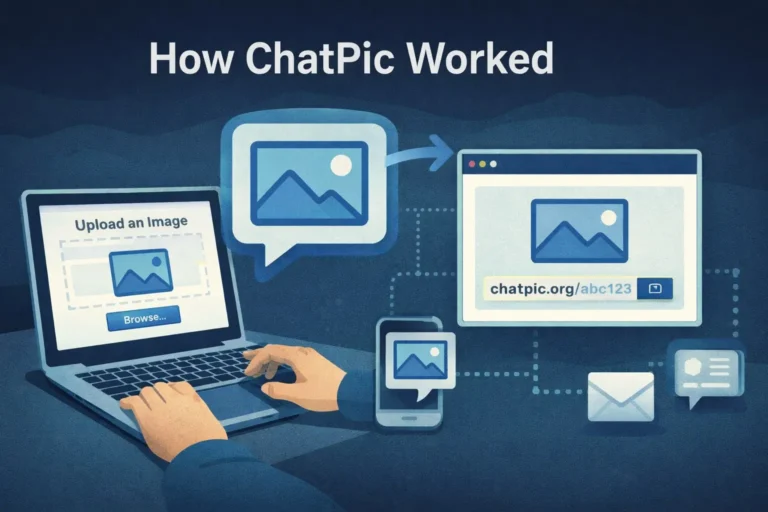
- What you are looking for: The original ChatPic’s upload process was completely frictionless. You clicked the button, selected a file, and received a link. No email prompt. No account creation. No verification step. No survey. No CAPTCHA that then redirects you somewhere else.
Any site that interrupts the upload process to ask for your email address, prompt you to create an account, request you to verify your identity, or redirect you to a different page before completing the upload is not operating like the original ChatPic did — and is likely collecting information it has no business asking for.
Watch also for aggressive pop-ups, browser notification requests, or download prompts that appear when you interact with the page. Legitimate image hosting platforms do not need to send you browser notifications. Any site that asks for this permission before you have completed a single upload is almost certainly using it for advertising tracking that goes beyond the platform itself.
Red flag: Upload flow requires personal information. Also: aggressive notification requests, pop-ups, or unexpected redirects before the upload completes.
What to Do If a Site Fails These Checks
Close the tab. Do not upload anything. If you have already uploaded an image to a site that subsequently fails these checks, there is no way to guarantee that the image has been deleted from their servers — assume it has been retained.
If the site asked for your email address and you provided it, monitor your inbox for phishing attempts and consider that address potentially compromised for future targeted spam.
If you experienced unexpected downloads, pop-ups, or browser behaviour changes while on the site, run a malware scan on your device. Malwarebytes offers a free scan at malwarebytes.com. For mobile devices, check for apps that appeared in your installed apps list without you deliberately installing them.
If the site you found contains illegal content — images of minors, non-consensual intimate images, or content that appears to have been uploaded without someone’s consent — report it to the Internet Watch Foundation at iwf.org.uk/report. This takes under two minutes and directly triggers a review process.
Safe Alternatives That Actually Work in 2026
If what you need is somewhere to upload and share images quickly without an account, several legitimate platforms offer exactly that.
- PostImage (postimages.org) is the closest functional replacement for what ChatPic originally did. No account required, no file size restriction that affects normal photos, clean upload-and-link workflow. It has been operating since 2004 and has a published privacy policy and content moderation rules. Strip your EXIF data before uploading — PostImage does not do this automatically.
- ImgBB (imgbb.com) allows anonymous uploads and offers optional expiry links, which means the image disappears automatically after a set period. Useful when you want the link to stop working after it has served its purpose.
- Imgur (imgur.com) automatically strips GPS metadata from uploaded images, which gives it a meaningful privacy advantage over most alternatives. It has active content moderation and clear terms of service. The community features are optional — you can upload anonymously without engaging with them.
None of these is perfect. All of them are demonstrably safer than any unverified site using the ChatPic name.
Conclusion
The six checks above — WHOIS registration date, Google Safe Browsing, SSL certificate details, privacy policy, VirusTotal scan, and upload flow behaviour — take under five minutes in total and require no technical knowledge. They will not catch every possible threat, but they will filter out the vast majority of dangerous sites operating under the ChatPic name in 2026.
The broader principle is simple. Any site that appeared after November 2023 using the ChatPic name was built to exploit the search traffic left behind by a platform that closed. That does not make it automatically dangerous, but it does mean you should verify before trusting it. The original ChatPic did not protect its users adequately. There is no reason to assume its successors will do better without first checking.
Frequently Asked Questions
Is there an official ChatPic mirror site I can use safely?
No. There is no official mirror, successor, or authorised continuation of the original ChatPic.org. The operators of the original platform made no public statement when they closed, transferred no user data to any successor service, and have not been publicly identified. Any site using the ChatPic name is independently operated and unaffiliated with the original.
Can I get a virus just by visiting a ChatPic mirror site?
Yes, in certain cases. Drive-by download attacks — where malicious code executes when a page loads without any user interaction — are a documented threat. Several ChatPic copycat sites identified between 2024 and 2025 contained scripts that installed tracking software on visitor devices without any deliberate action from the user. Checking sites with VirusTotal and Google Safe Browsing before visiting significantly reduces this risk.
The site looks exactly like the old ChatPic — does that mean it is safe?
No. Visual similarity is the point. Copycat sites replicate the original’s layout, colour scheme, and button placement specifically to create trust. The appearance of a site tells you nothing about the safety of the scripts running in the background or the intentions of the people operating it.
What if the site has the HTTPS padlock?
HTTPS confirms your connection is encrypted. It does not confirm that the site is legitimate, that the people running it are trustworthy, or that your uploaded content will be handled responsibly. Over 90% of phishing sites now display the padlock icon. Use it as a minimum standard, not a guarantee.
How can I tell if a site is harvesting my data?
Signs include: being asked to create an account or provide an email before uploading, notification permission requests on first page load, and upload flows that redirect you to a different domain before completing. Running the domain through VirusTotal may also surface known data harvesting patterns if they have been previously reported.
Where should I report a ChatPic mirror site that contains illegal content?
Report to the Internet Watch Foundation at iwf.org.uk/report for content involving minors or non-consensual intimate images. For sites serving malware or conducting fraud, report to Action Fraud at actionfraud.police.uk. You can also report the URL to Google Safe Browsing through the Transparency Report page so it is flagged for other users.
Call to Action
Before you upload anything to a site using the ChatPic name, take five minutes to run these checks. If the site fails even one of them, use PostImage, ImgBB, or Imgur instead — all three are free, moderated, and do not require an account for basic uploads.
If your photo was previously on ChatPic and you are trying to recover it, read our guide on recovering photos after the ChatPic shutdown. If you are concerned about what data was embedded in images you previously uploaded, read our guide on EXIF data and photo privacy.