
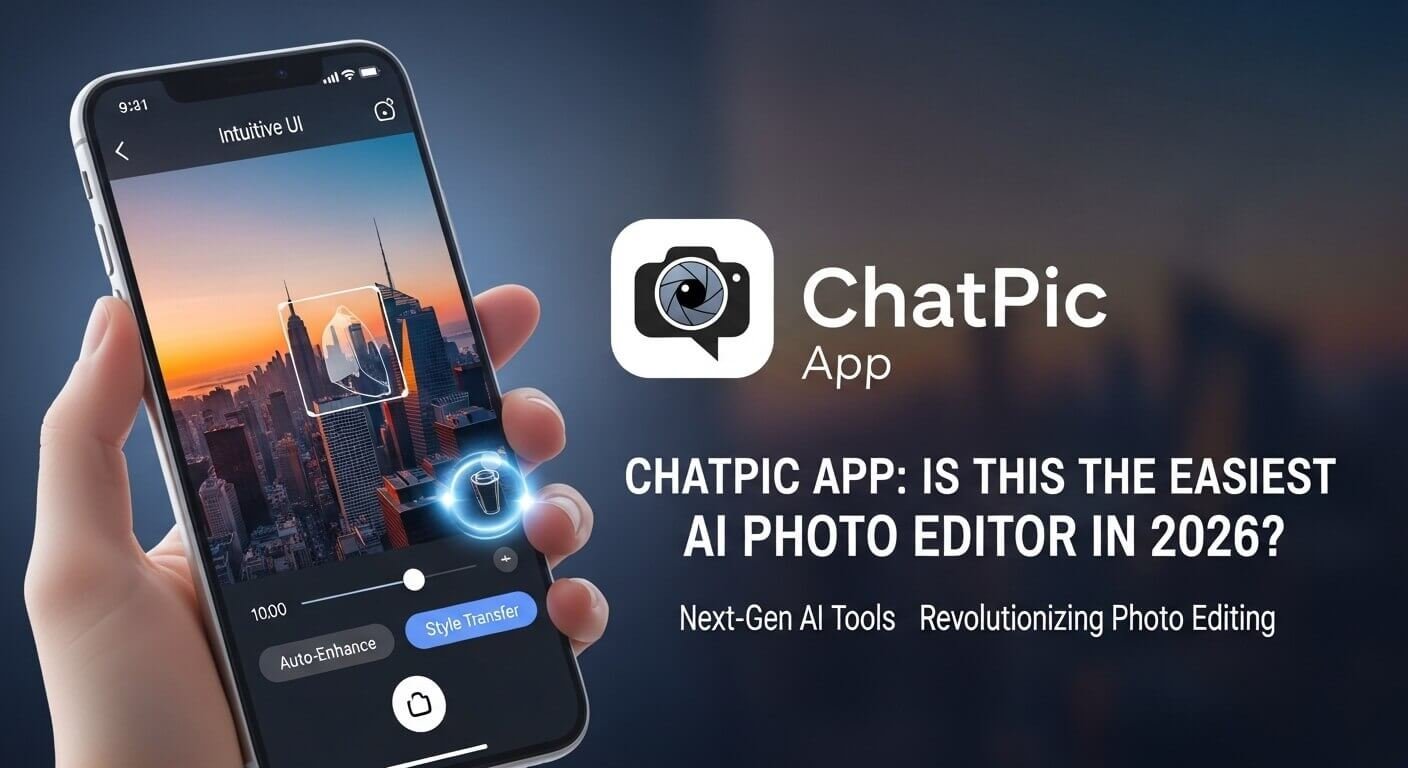
ChatPic App: Is This the Easiest AI Photo Editor in 2026?
Quick Answer: ChatPic is an AI-powered photo editing app that lets you edit, restore, and generate images by typing plain-language instructions — no sliders, no learning curve, no design skills required. It’s available on iOS and works across iPhone, iPad, and Mac.
Photo editing used to mean one thing: hours in front of Photoshop, hunting through menus, adjusting sliders you barely understood. That’s changed fast. A new wave of conversational AI tools is making image editing as simple as sending a text message. ChatPic sits squarely in the middle of this shift — and in 2026, it’s worth a serious look.
This article breaks down exactly what the ChatPic app does, who it’s built for, how it compares to alternatives, and whether it lives up to the “easiest photo editor” claim. No filler. No hype.
What Is the ChatPic App?

ChatPic is an AI photo editor developed by CoreMoose, LLC. It’s available on the Apple App Store for iPhone, iPad, Mac, and Apple Vision. The core premise is simple: instead of manually adjusting tools and filters, you describe what you want in plain language, and the AI handles the rest.
Type “brighten the background” or “make this look like a Studio Ghibli painting,” and ChatPic processes your instruction and applies it. That conversational approach is what separates ChatPic from conventional editing apps.
The app covers three primary functions:
- Photo editing — adjustments, retouching, and corrections through text prompts
- Image restoration — bringing damaged, old, or low-quality photos back to life
- AI image generation — creating new visuals from text descriptions
It positions itself at the intersection of accessibility and creative power. You don’t need to know what a histogram is. You just need to know what you want.
How Does ChatPic Actually Work?
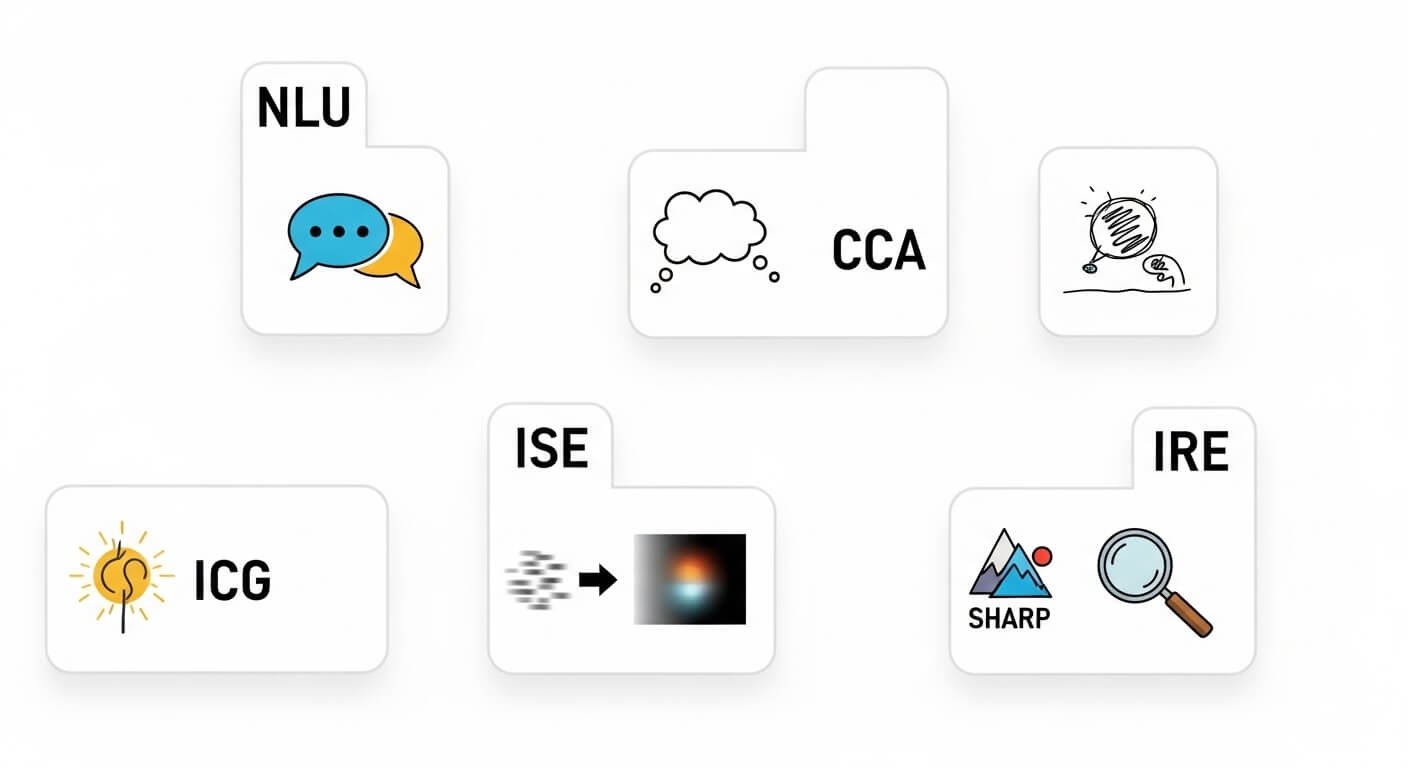
The Conversational Interface
When you open ChatPic, the interface resembles a chat window more than a traditional photo editor. You upload an image — or start from scratch for generation — and then type what you want done. The AI interprets your instruction, applies the change, and shows you a preview.
This natural language processing layer is the key differentiator. The app doesn’t require you to locate specific tools or understand technical photography concepts. “Fix the lighting” works just as well as specifying exposure, brightness, and contrast individually — sometimes better, because the AI interprets the intent rather than just the instruction.
Processing and Output
ChatPic processes most edits using cloud-based AI models, though the app includes on-device processing for select features like object removal. This means some edits work without an internet connection, which is genuinely useful when you’re travelling or working offline.
After the AI applies your changes, you can refine the result by adding follow-up prompts. This iterative approach lets you nudge results closer to what you had in mind without starting over from scratch.
Core Features Explained
Portrait Retouching
ChatPic includes dedicated tools for facial enhancement. Users can request skin smoothing, teeth brightening, lighting corrections, and feature adjustments through text prompts. The AI targets facial areas automatically — you don’t need to manually select skin zones or use a healing brush.
This feature is particularly relevant for social media content creators and anyone managing a personal or professional visual presence online.
Auto Color and Light Correction
One of the most common editing tasks — correcting poorly lit or colour-cast photos — happens automatically when prompted. You can specify the mood you want (“warmer,” “cooler,” “more cinematic”) or let the AI make the call based on the image’s content.
Background Removal and Object Erasure
ChatPic can isolate subjects from backgrounds and replace or remove background elements. The on-device object remover works without cloud processing, making it fast and usable offline. This is the kind of feature that used to require Photoshop’s Select Subject tool, which itself was considered remarkable when it launched.
Style Transfer
One of ChatPic’s more creative features is its ability to re-render images in different artistic styles. The Ghibli-style transfer — applying the visual language of Studio Ghibli animated films to photographs — has been a standout use case that draws a specific, enthusiastic audience. Oil paintings, watercolour, and other artistic styles are also available.
AI Image Generation
Beyond editing existing photos, ChatPic includes text-to-image generation. Type a description, and the app produces a new image from scratch. This positions it as a creative tool as much as an editing one — useful for concept work, social content, or just experimentation.
Image Restoration and Colourization
Old or damaged photographs — faded, torn, blurry, or black-and-white — can be restored and enhanced. The colourization feature uses AI to add realistic colour to vintage images, which has obvious appeal for anyone digitising family archives or historical photographs.
ChatPic vs. Traditional Photo Editors
| Feature | ChatPic | Adobe Lightroom | Photoshop |
|---|---|---|---|
| Learning Curve | Very Low | Moderate | High |
| Natural Language Editing | Yes | No | No |
| AI Image Generation | Yes | Limited | Limited |
| Object Removal | Yes (on-device) | Yes | Yes |
| Style Transfer | Yes | No | Via plugins |
| Professional Precision | Limited | High | Very High |
| Price | Free / Subscription | Subscription | Subscription |
| Platform | iOS only | Cross-platform | Cross-platform |
| Target User | Casual to creative | Photography enthusiast | Professional |
The gap ChatPic fills is clear from this comparison. It doesn’t try to out-feature Lightroom or Photoshop. It targets users who want results without the technical investment those tools require. For everyday image editing, portrait touch-ups, and creative experimentation, ChatPic covers significant ground.
Where it falls short is in precision and platform availability. If you need to edit on Android or Windows, you’ll need an alternative. And if your workflow demands pixel-level control, conversational AI editing has inherent limits.
Who Should Use ChatPic?
Content Creators and Social Media Users
People who regularly produce images for Instagram, TikTok, or YouTube thumbnails need speed and quality without a steep learning curve. ChatPic’s one-prompt edits align well with that workflow. Portrait retouching and style transfer features are particularly relevant here.
Casual Photographers
If you take photos on your phone and occasionally want them to look better before sharing, ChatPic removes every technical barrier. You don’t need to understand aperture, white balance, or layer masks. You just describe what you want.
Genealogists and Family Historians
The photo restoration and colourisation tools make ChatPic genuinely useful for anyone working with historical family images. Bringing an old, faded photograph back to a shareable, printable quality used to require a professional retoucher. Now it’s a prompt away.
Educators and Students
Visual communication in education has grown substantially. Students working on projects, presentations, or creative assignments can use ChatPic to generate and edit images without needing design skills or expensive software licences.
Limitations You Should Know About
Honest assessment matters here. ChatPic has real limitations that shouldn’t be glossed over.
Platform Availability
As of early 2026, ChatPic is available only through the Apple App Store. Android users, Windows users, and most Linux users currently have no official access. For a global user base, this is a significant constraint.
AI Accuracy Isn’t Guaranteed
Like all AI image tools, ChatPic doesn’t always interpret instructions correctly. You might ask it to remove a person from the background, and it produces an awkward fill that needs further prompting. Complex instructions — especially those involving specific spatial relationships or nuanced adjustments — can produce unexpected results.
Privacy Considerations
When you upload photos to any cloud-based AI service, those images are processed on remote servers. ChatPic’s developer, CoreMoose, has a privacy policy, but as a general principle, users should be cautious about uploading sensitive or personally identifiable photographs to any AI platform. This applies to ChatPic just as it applies to every comparable service.
No Professional-Grade Output Controls
If you need to export in specific colour profiles, work in RAW format, or apply precise mathematical adjustments, ChatPic isn’t the right tool. It’s designed for accessibility, not for professional print production or commercial photography workflows.
ChatPic Pricing: Free vs. Paid
ChatPic follows a freemium model. A free tier is available with core features accessible at no cost. Premium features — including high-resolution exports, unlimited AI generations, and access to advanced editing capabilities — require a paid subscription or in-app purchases.
Specific pricing details change frequently as apps update their offerings, so checking the current App Store listing gives you the most accurate and up-to-date breakdown. The free tier is genuinely functional for basic editing, which makes the app worth trying before committing to payment.
ChatPic vs. Top Competitors in 2026
ChatPic vs. Adobe Firefly
Adobe Firefly is integrated across Adobe’s Creative Cloud suite. It’s more powerful, more precise, and better suited to professional workflows. But it’s also more expensive and assumes familiarity with Adobe’s broader ecosystem. ChatPic wins on simplicity and standalone accessibility.
ChatPic vs. ClipDrop (Stability AI)
ClipDrop offers strong object removal, background replacement, and upscaling. The comparison often comes down to ease versus control — ChatPic prioritises ease, ClipDrop gives you more granular options. Both serve different users well.
ChatPic vs. Canva AI
Canva’s AI tools are embedded inside a broader design platform. If you need to produce social graphics, presentations, or branded content alongside photo editing, Canva makes more sense. If you just need to edit photos conversationally, ChatPic’s focused approach is faster.
ChatPic vs. Google Photos AI
Google Photos offers automatic enhancement and some AI features, but it’s primarily a storage and organization platform. Its editing tools don’t offer the same creative range as ChatPic’s style transfer, generation, or restoration features.
Is ChatPic Safe and Private?
ChatPic is developed by CoreMoose, LLC and is distributed through Apple’s App Store, which applies its own review standards before any app goes live. The developer’s privacy practices are disclosed on the App Store listing, as required by Apple’s policies.
Standard safety guidance applies to ChatPic as it does to any AI image tool:
- Don’t upload images that contain sensitive personal data (passports, medical records, financial documents)
- Review the app’s current privacy policy before use, particularly if you’re uploading images of other people
- Be aware that free-tier terms may allow broader data use than paid plans
Neither AI-powered apps generally, nor ChatPic specifically, should be treated as inherently unsafe. But informed use — understanding what you’re uploading and where it goes — is always the right approach.
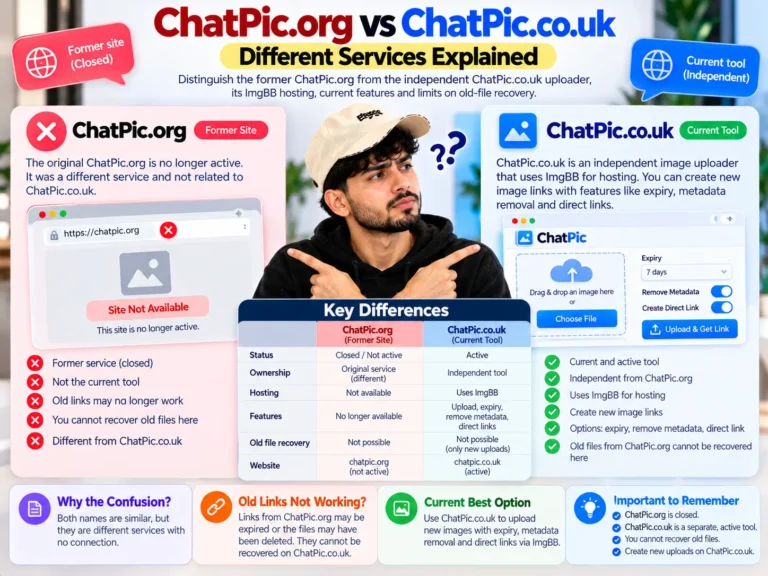
ChatPic.org vs. ChatPic App — Don’t Confuse the Two
This is worth a clear explanation because search results for “ChatPic” can be confusing.
ChatPic.org was a separate, entirely unrelated platform — an anonymous image-sharing site that operated from approximately 2014 until its shutdown in 2023 following serious content moderation failures. It had no AI editing capabilities and no connection to the ChatPic app described in this article.
The two share a name only. ChatPic.org no longer exists, and any websites claiming to be mirrors of it are unofficial, unmoderated, and carry real safety risks. The modern ChatPic — the AI photo editor on the App Store — is a completely different product from a different company.
If you’re searching for information about the defunct ChatPic.org platform, the history of its closure, or safe image-sharing alternatives, that’s a separate topic entirely.
The Bigger Picture: AI Photo Editing in 2026
ChatPic exists within a broader shift in how people interact with creative tools. The movement toward natural language interfaces isn’t limited to image editing — it’s reshaping software across every category. The underlying principle is consistent: reduce the distance between intention and outcome.
For photo editing specifically, that shift has real value. Millions of people take photographs every day on smartphones. Most of them have no interest in learning Photoshop. Tools like ChatPic lower the barrier to producing polished, compelling images — and that matters whether you’re a teenager editing selfies or a small business owner trying to produce professional-looking product photos on a limited budget.
The question isn’t really whether ChatPic is the “easiest” editor — it almost certainly is among the most accessible. The more useful question is whether it does what you specifically need. For most everyday editing tasks, the answer is yes.
Frequently Asked Questions
Q: Is the ChatPic app free to use?
ChatPic offers a free tier with access to core editing features. Advanced capabilities — such as unlimited AI image generation, high-resolution exports, and premium editing tools — are available through paid subscriptions or in-app purchases. The App Store listing provides current pricing details.
Q: What devices support the ChatPic app?
As of early 2026, ChatPic is available exclusively through Apple’s App Store. It supports iPhone, iPad, Mac, and Apple Vision. Android, Windows, and other platforms are not currently supported. If you need cross-platform access, you’ll need to consider alternative tools.
Q: Is the ChatPic app related to ChatPic.org?
No. They share a name but are completely unrelated. ChatPic.org was an anonymous image-sharing platform that shut down in 2023. The ChatPic app is an AI photo editing tool developed by CoreMoose, LLC and distributed through the Apple App Store. The two products have no connection.
Q: Can ChatPic edit old or damaged photographs?
Yes. Photo restoration is one of ChatPic’s core features. The app can enhance faded, blurry, or damaged photographs, restore facial details in degraded images, and add realistic colour to black-and-white photos. These features make it particularly useful for anyone working with historical or archival images.
Q: How does ChatPic protect user privacy?
ChatPic processes images through cloud-based AI models, which means uploaded photos are sent to external servers for processing. The developer’s privacy policy is available on the App Store listing. As a general precaution, users should avoid uploading images containing sensitive personal information. Always review an app’s current privacy policy before use, as terms can change with updates.
Q: Does ChatPic work without an internet connection?
Some features — particularly the on-device object removal tool — work offline. Most AI-powered editing and generation features require an active internet connection because they rely on cloud-based processing.
Q: How does ChatPic compare to Adobe Photoshop?
ChatPic and Photoshop serve very different users. Photoshop offers professional-grade precision, a comprehensive feature set, and cross-platform availability — but it requires significant learning time and comes with a higher cost. ChatPic prioritises accessibility and conversational ease over precision. For casual editing, restoration, and creative work, ChatPic is faster and easier. For commercial photography, print production, or technical compositing, Photoshop remains the professional standard.
Key Takeaways
- ChatPic is an AI photo editor that processes edits through conversational text prompts — no technical skills required
- It covers portrait retouching, object removal, style transfer, image generation, and photo restoration
- The app is iOS-only as of 2026, limiting its accessibility for Android and Windows users
- ChatPic.org (the defunct image-sharing site) and the ChatPic app are entirely unrelated despite sharing a name
- For casual editing, creative work, and family photo restoration, ChatPic offers a genuinely low-barrier experience
- Professional workflows requiring pixel-level precision or cross-platform access need a different tool
This article is for informational purposes. App features, pricing, and availability are subject to change. Always check the official App Store listing for the most current information.




One Comment