
Expiring image links: how temporary sharing works
An expiring image link points to a hosted file with a requested time limit. ChatPic can send an expiry setting to ImgBB, but the timer does not stop a recipient saving the image or restrict access to one view.
What an image expiry actually controls
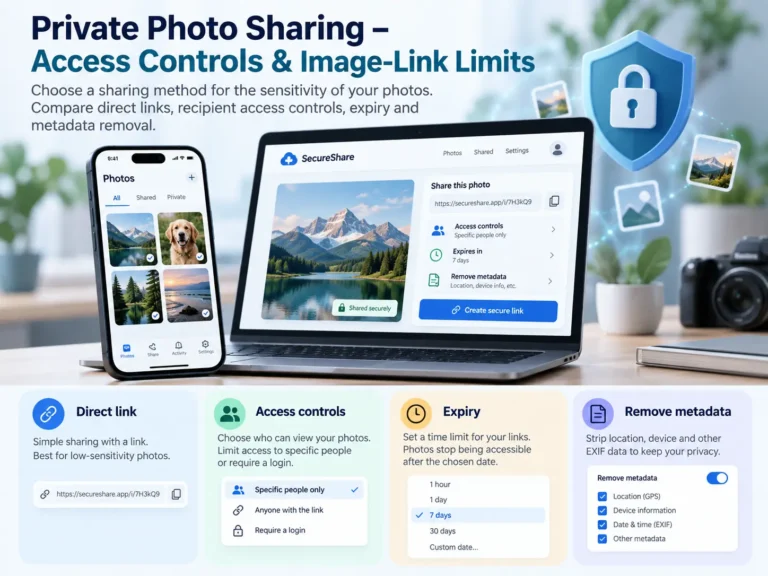
An expiry is a time-based hosting instruction. It is different from a password, a named-recipient permission or a maximum view count. Until the hosted image stops being served, anyone with its direct URL may be able to open it.
A useful example is a screenshot attached to a support conversation. You may want the recipient to see the error this week without deliberately requesting indefinite hosting. That is a retention choice, not a confidentiality control.
How to create an expiring image link
- Open the ChatPic uploader and select a supported image you are permitted to share.
- Choose the expiry before upload: 1 hour, 24 hours, 7 days or 30 days. The default selection is 24 hours.
- Check the picture and any metadata-removal setting, confirm permission and upload.
- Copy the direct image URL from the successful result and send it to the intended recipient.
- Save the original and keep the provider deletion link privately if one is returned.
The expiry is submitted with each upload. The current interface does not provide a dashboard for extending an already hosted image’s lifetime. A fresh upload creates another hosted copy and another URL; it does not retroactively change the original timer.
Choose enough time for the recipient
| Choice | Reasonable use | Check before you choose |
|---|---|---|
| 1 hour | A live conversation or a short-lived demonstration | The recipient must be ready to open it. It still is not one-view sharing. |
| 24 hours | A quick support exchange or same-day feedback | Allow for the recipient’s time zone and working hours. |
| 7 days | A review that may take several days | Remove confidential material before upload. |
| 30 days | A longer temporary reference | Make sure an expiring URL is appropriate for the destination. |
| No scheduled expiry | A link where no deletion timer is requested | This is not a guarantee of permanent hosting or availability. |
Do not use a short expiry for a permanent product page, published guide or important documentation. Once the hosted file is unavailable, a copied link in that document can become a broken reference.
What expiry cannot erase
- A file the recipient downloaded before the expiry.
- A screenshot or screen recording.
- A copy re-uploaded to another host or website.
- A preview cached by a messaging app or another intermediary.
- An original still stored on your own device.
The scheduled hosting behaviour and the lifecycle of other copies are separate. A claim that an image disappears “from the entire internet” would overstate what an expiry setting can do. If the content must remain confidential, choose a service with suitable access controls before uploading.
Expiry, manual deletion and one-view access
| Control | Trigger | Current ChatPic support |
|---|---|---|
| Expiry | Time after upload | An expiry request can be sent to the hosting provider. |
| Manual removal | The uploader requests deletion | A provider deletion link may be returned. Save it privately and follow the provider’s process. |
| One-view access | A permitted view or access event | Not implemented by the current direct-link uploader. |
If you need earlier removal, look for the private provider deletion link in your result. Do not share it with the ordinary image URL. If you lost it or are reporting someone else’s upload, use Contact and Image Reports and contact the host where appropriate.
The provider documents its API expiration parameter in the ImgBB API reference. The options visible in ChatPic are the ones its interface supports; provider API capabilities should not be presented as additional controls available in this tool.
If an expired link still shows a preview
First distinguish the direct image from a preview or a downloaded copy. Open the image URL in a fresh browser context. A chat thumbnail alone is not evidence that the origin still serves the file.
Check that you copied the correct URL and that the original upload used the intended setting. An image uploaded again has its own timer. If the hosted file appears accessible after its requested expiry, record the URL and approximate upload time and report the problem. Avoid reposting the picture while testing.
Provider or cache behaviour can vary. An expiry request is not proof of instant erasure from every system.
Expiry questions
Does the countdown start when somebody first opens the image?
The requested expiry is associated with the upload. ChatPic does not offer a first-view countdown or a timer that starts when a named recipient opens the file.
Does expiry make a link private?
No. A direct image URL is usable by anyone who has it while the hosted file is accessible. Add appropriate recipient access controls through another service when privacy is required.
Does closing the ChatPic page start deletion?
No. Closing the page is separate from the provider’s expiry or deletion process. Save useful result links before leaving.
Can I create a link that works forever?
You can select no scheduled expiry, but that does not guarantee permanent retention. Keep your original file and choose durable hosting for long-term publishing.





4 Comments