ChatPic.co.uk | Share Images with View Limits & Auto Link Expiry
The free tool that lets you control exactly who sees your photos, for exactly how long — with no account, no cost, and no leftovers.
There is a quiet frustration that most people have felt at some point but rarely talk about.
You share a photo — maybe something personal, maybe something confidential, maybe just a preview of work in progress — and the moment you hit send, you lose all control over it. That image now lives somewhere on a server you have never seen, accessible through a link that never expires, by anyone the original recipient decides to forward it to.
Most image-sharing platforms are built around permanence. Upload something and it stays. That is considered a feature.
ChatPic.co.uk is built around the opposite idea. Share something, set your own rules for how long it lasts and how many people can see it, and then let the platform enforce those rules automatically. When your image has served its purpose, it disappears — from the server, from the link, from the internet entirely.
This is not a niche tool for the technically minded. It is a free, browser-based platform that anyone can use in under a minute with no sign-up whatsoever.
Here is everything it does and exactly how it works.
The Core Idea: You Set the Rules, ChatPic Enforces Them
Before getting into individual features, it helps to understand the philosophy behind ChatPic, because it shapes every design decision the platform has made.
Most image hosting services ask: how do we store this reliably for as long as possible?
ChatPic asks: how long does this image actually need to exist, and who actually needs to see it?
Those two questions lead to a fundamentally different product. ChatPic gives you two controls — a view limit and an expiry timer — and lets you set both before your link is generated. From that moment, the platform takes over. It counts the views, watches the clock, and when either threshold is crossed, it deletes the image automatically. No reminders, no manual cleanup, no loose ends.
The result is image sharing that has a defined beginning and a guaranteed end.
Getting Started: Simpler Than You Expect
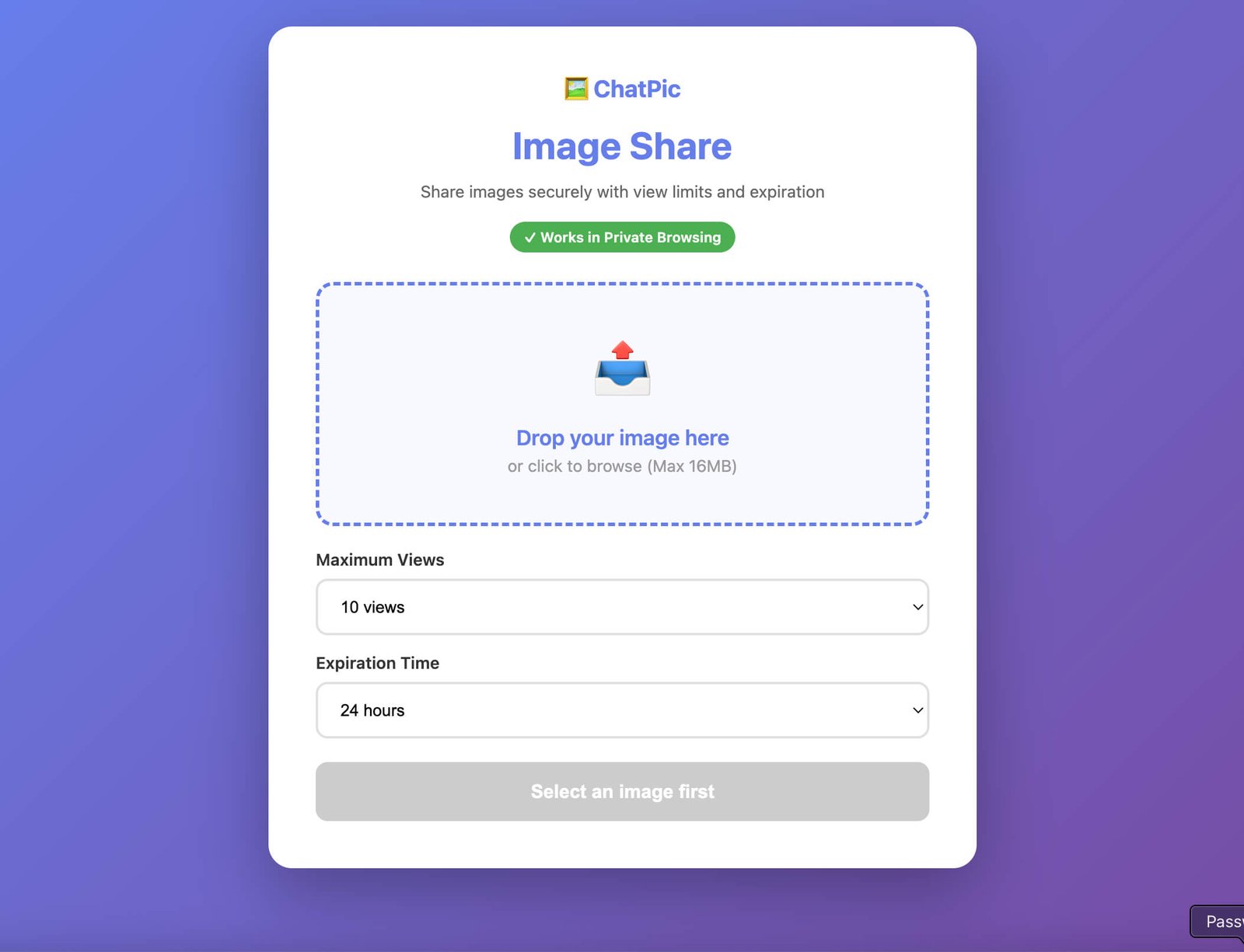
Opening ChatPic for the first time takes no setup at all. There is no registration page, no email confirmation, no profile to fill in. You go to chatpic.co.uk, and the tool is right there in your browser — ready to use on any device, on any operating system, in any modern browser.
This zero-friction entry point is a deliberate choice. The platform treats your time as valuable and treats your privacy as the default, not as a premium feature you have to unlock. The moment you arrive, you can upload.
Uploading Your Image

Clicking the upload button opens your device’s standard file picker. Select your image — ChatPic accepts JPEG, PNG, and WebP files, which cover the overwhelming majority of photos, screenshots, and graphics that people actually share.
Something happens in the background at this point that is worth knowing about. ChatPic automatically compresses your image during upload. This is not compression that visibly degrades your photo — it is intelligent optimisation that reduces file size while preserving the image quality you can actually see. The practical result is that recipients get your image loading fast, even on a slow mobile connection, without you having to manually resize anything beforehand.
View Limits: The Number That Changes Everything
Once your image is uploaded, the first thing you set is a view limit — the maximum number of times your link can be opened before it stops working.
The options run from one view at the minimum to completely unlimited at the maximum.
At first glance, this sounds like a simple number. In practice, it is one of the most powerful privacy tools available on any free image-sharing platform, because it turns your link from a passive URL into an access-controlled gateway.
- One view means exactly that. The first person to open the link sees the image. The link then deactivates — permanently. If that person forwards the link to someone else, the second person finds it already dead. You have structurally ensured that only one person could ever see that image, regardless of what happens to the link afterwards.
- A small number like three or five is useful for sharing with a specific, defined group — a client and their colleague reviewing a preview, or a small team looking at a confidential draft. The view count acts as a passive ceiling. If the link ever travels outside your intended audience and gets opened beyond your cap, it simply stops working.
- A larger number suits wider but still bounded distributions — a community announcement image, a short-run campaign graphic, a product photo being reviewed by a larger team.
- Unlimited views make sense when you want time-based expiry without any view ceiling — open access during a defined window.
The key point is that you are not just sharing and hoping. You are defining in advance the maximum possible reach of your image, and ChatPic enforces that definition automatically.
Link Expiry: A Countdown That Runs Itself
Separately from the view limit, you also set a time-based expiry for your link. These two settings are completely independent — each one alone can trigger deletion, and whichever condition is met first wins.
The expiry options available are one hour, six hours, twelve hours, one day, three days, seven days, and thirty days.
- One hour is the tightest window and the most private. It suits anything that needs to exist briefly and then be completely gone — a one-time credential screenshot, a live-event link, a time-sensitive preview.
- Six to twelve hours cover a single working session or waking period. Useful for things that should be accessible today but gone by tomorrow morning without you having to remember to delete anything.
- One day is the most generally useful expiry for everyday professional sharing. A client review, a team feedback round, and a same-day collaboration — one day covers most of these cleanly.
- Three to seven days suit project cycles, event follow-ups, or any situation where you need a few days of access but not permanent availability. A wedding preview sis hared with guests for a week. A design iteration was reviewed over a long weekend.
- Thirty days is ChatPic’s longest window, appropriate for extended campaigns or review processes where you need meaningful persistence but still want the image to eventually disappear automatically rather than sitting on a server indefinitely.
Choosing the right expiry is worth a moment of thought rather than always defaulting to the longest option. An image that only needs to exist for 24 hours should have a 24-hour expiry, not a 30-day one. The whole point of the feature is that the image’s online lifespan matches its actual useful lifespan.
Public Rooms and Private Rooms
ChatPic organises image sharing through rooms — shared spaces where images live and can be viewed. There are two kinds, and the difference between them is significant.
- Public rooms are open to any visitor on ChatPic. Images posted there appear in ChatPic’s browseable categories and can be seen by anyone using the platform. Each image in a public room has a comment section where viewers can react and leave short responses, creating a lightweight community layer. Public rooms are the right environment for content you are happy for a general audience to encounter — interesting photography, humorous images, wallpapers, anything with broad appeal and no sensitivity concerns. View limits and expiry timers apply to every image here exactly as elsewhere.
- Private rooms are invisible. They do not appear in any category or browse feed on ChatPic. They cannot be found through any form of search or discovery on the platform. A private room exists only for people who have been given its direct link. This makes private rooms the natural home for anything with a specific, closed audience — client work, personal photos, confidential business content, and team collaboration. The room provides audience invisibility; the view limit and expiry settings provide access control and time control on top of that.
Choosing between public and private is usually straightforward: if you would be comfortable with any ChatPic user seeing the image, public works. If there is any specific group you intend this for, private is the right call.
Self-Destructing Images: How Deletion Actually Works
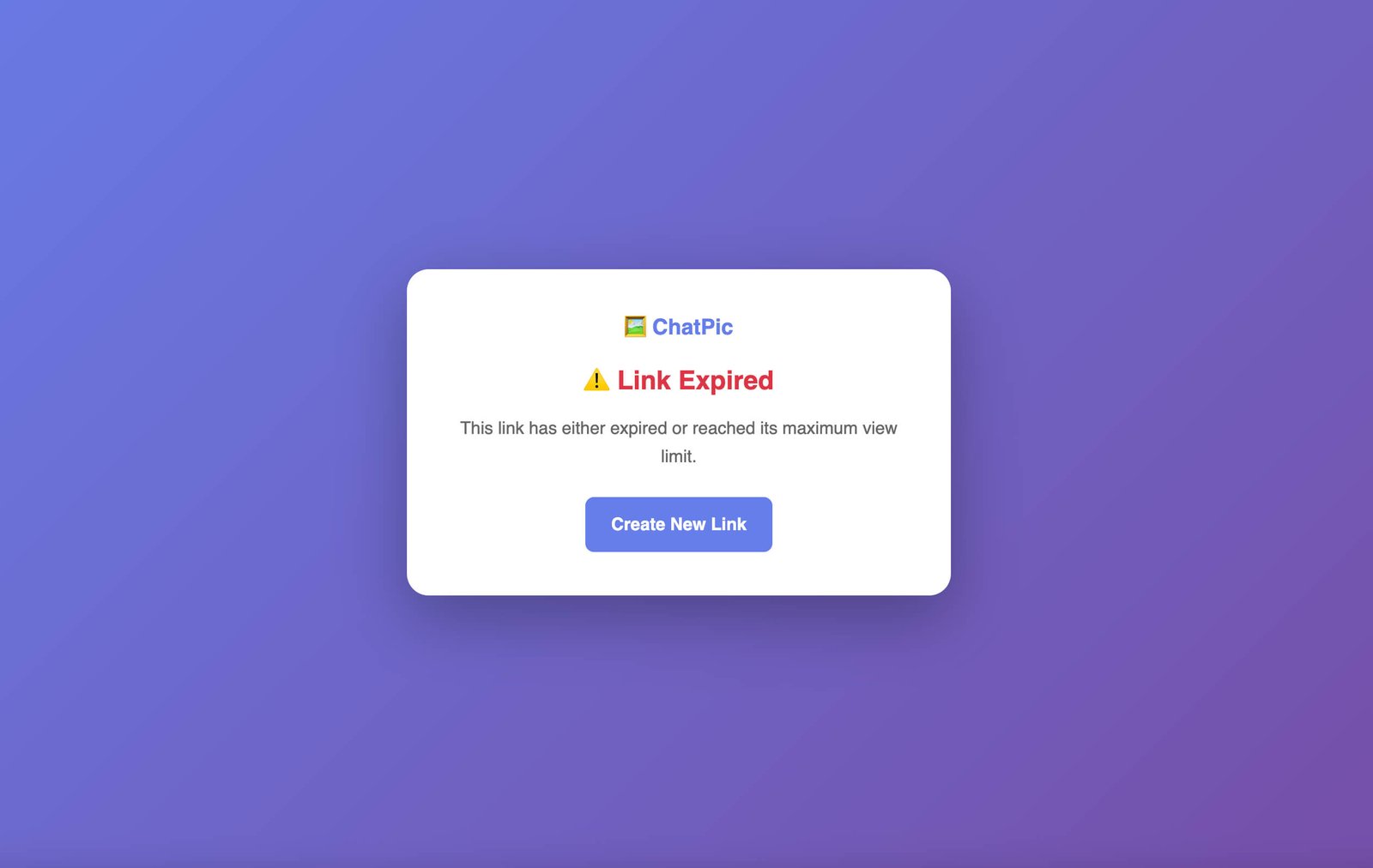
It is worth being specific about what happens when ChatPic deletes an image, because “self-destructing” is a term that gets used loosely elsewhere.
When either your view limit is reached or your expiry time passes — whichever comes first — ChatPic removes the image from its servers and permanently deactivates the shareable link. This is not archiving, not soft deletion, not a grace period. The image is gone, and the link produces nothing.
Anyone who held on to the link and tries it after that point will find it no longer works. Anyone who bookmarked it, saved it, or tries to share it onward will hit a dead end. The image does not exist anymore.
This is meaningful because it means that once your share has concluded on your terms, there is no lingering version of it to manage. The cleanup is built into the sharing process itself.
Using Both Controls Together
The real power of ChatPic comes from combining a view limit and an expiry timer on the same upload, because together they create a dual layer of protection that neither feature provides alone.
A view limit without an expiry means the link stays live indefinitely until someone hits the cap. If you set 10 views and only 8 people ever open it, the link technically still works months later — just waiting for two more opens that may never come.
An expiry without a view limit means the link is open-access until the clock runs out. If you set a 7-day expiry with no view cap, anyone who gets the link during those 7 days can open it as many times as they like.
Combining the two means the image disappears at the earlier of two events — whichever protection triggers first. A 5-view limit with a 24-hour expiry means your image is gone within 24 hours, no matter what, and gone the moment a fifth person opens it, even if 24 hours haven’t passed yet. That combination gives you confidence that is difficult to achieve through any other free tool.
Comment Sections: Light Community Without the Social Media Weight
Images shared in public rooms have a comment section beneath them. Visitors can leave short reactions and responses. There are no usernames tied to accounts, no follower counts, no algorithmic pressures — just a simple, lightweight exchange around a shared image.
This feature gives ChatPic a small community dimension without the performance anxiety of mainstream social platforms. Post something you find interesting or funny, see what others think, and move on. No profile to maintain, no engagement metrics to chase.
Built-In Reporting
Every image on ChatPic, whether in a public or private room, carries a reporting function. If any viewer encounters content that violates community guidelines, they can flag it directly from the image. This is ChatPic’s mechanism for maintaining platform integrity without requiring moderation of every upload in advance. If something inappropriate appears, the reporting tool puts the response mechanism in users’ hands immediately.
Auto-Compression: The Technical Detail That Matters for Recipients
It is easy to overlook the automatic compression feature because it happens invisibly, but it has a real impact on the experience of the people you share with.
High-resolution photos — the kind a modern smartphone produces — can be several megabytes in size. On a fast connection, that is not a problem. On a mobile connection in an area with a weak signal, or on an older device, a large image can take frustratingly long to load. If someone’s first experience of your shared image is staring at a blank screen waiting for it to appear, that is a poor result, regardless of how good the image is.
ChatPic compresses your image on upload and delivers an optimised version to recipients without requiring you to resize or re-export anything manually. You upload the original. Recipients get a fast-loading version. The visual quality you can see remains intact.
No Account, No Email, No Data: The Anonymity Model
ChatPic’s privacy approach starts before you even upload anything.
There is no registration process because there is no account to register for. The platform does not ask for your name, your email address, or any other identifying information at any point. There is no profile, no history, no record of your uploads tied to you as a person.
This means a few things practically. First, there is nothing to breach — no account database storing your identity alongside your sharing history. Second, it means any link you share is genuinely detached from your identity at the platform level. Third, it means when an image is deleted, there is no account layer through which it could be re-associated or recovered.
The anonymity is structural, not just a policy. It is built into how the platform works rather than simply promised in terms of service.
Devices, Browsers, and Compatibility
ChatPic works on every device with a modern browser. Desktop computers, laptops, tablets, and smartphones all access the same full-featured platform — there is no reduced mobile version, no app required, no device-specific limitations.
Browser compatibility covers Chrome, Firefox, Safari, Edge, Opera, and any other current browser. The platform also functions correctly in private or incognito browsing mode, which is relevant for users who prefer to minimise browser-side data retention when sharing.
What ChatPic Cannot Do: Being Clear-Eyed About Limits
Any honest review of a privacy tool has to be direct about what it cannot protect against, and ChatPic is no exception.
The one thing no self-destructing image platform can prevent is a screenshot. If a recipient takes a photo of their screen or uses their device’s screenshot function before the image is deleted, they have a copy. ChatPic’s deletion removes the image from the server and kills the link — it cannot reach inside someone’s device and remove a screenshot they have already taken.
ChatPic also does not provide end-to-end encryption in the cryptographic sense. Your image is transmitted securely, but if your use case requires military-grade encryption at the file level, a dedicated encrypted file sharing service would be more appropriate.
These are genuine limitations worth knowing. Within its intended scope — controlling server-side persistence, managing access reach, and ensuring automatic cleanup — ChatPic delivers exactly what it promises. Understanding the scope means using it appropriately.
The Kinds of People Who Use ChatPic
In practice, ChatPic finds its most natural users across a few consistent groups.
- Photographers use it to send watermark-free preview images to clients before full gallery delivery, with short expiry times and low view limits that prevent previews from circulating beyond the client.
- Designers and creative teams use it for internal review of drafts and concepts that should not be accessible indefinitely or to anyone outside the review group.
- Individuals use it to send personal photos privately — to one specific person, viewable once, expiring within hours — with a level of structural privacy that standard messaging apps cannot match.
- Event organisers use private rooms to share event photography with a specific guest list on a defined timeline before the full delivery.
- Anyone who regularly shares images and has ever wished they could take one back, or ensure it disappeared after it had been seen, finds ChatPic’s model immediately intuitive.
Why This Model Is Better Than Manual Deletion
A common workaround people use on other platforms is manually deleting images after sharing them. ChatPic’s model is better for three reasons.
- First, you have to remember to do it. Manual deletion depends on you going back to the platform at the right moment — and that moment is easy to miss or forget.
- Second, you cannot control what happens between sharing and deletion. During that window, the link was live. Someone could have downloaded it, shared it onward, or saved a copy before you deleted it.
- Third, deletion is only server-side. It removes the image from the hosting platform but does nothing about copies that may have already been made.
ChatPic’s approach does not require you to remember anything. The deletion is guaranteed to happen; it happens automatically at the threshold you set in advance, and the view limit means the reach of the link is bounded from the moment you share it — not just from the moment you decide to delete it.
Conclusion: A Smarter Default for Image Sharing
The idea behind ChatPic is straightforward: images shared for a specific purpose should exist for the duration of that purpose and then stop existing. That is not a radical concept. It is actually the more intuitive way to think about sharing — one that aligns with how physical exchanges work, where giving someone a photo to look at does not mean creating an infinite, irrevocable copy of it.
What ChatPic has done is build a free, practical, browser-based tool that makes this the default rather than the exception. Set your view limit, set your expiry, and share your link. When the purpose is served, the image is gone. No account to manage, no manual cleanup to remember, no cost at any point.
For everyday image sharing where you want genuine control rather than just a vague expectation of privacy, it is the most sensible free option available.
Visit chatpic.co.uk — upload in seconds, share on your terms, and let your images disappear when they should.