
Vehicle Owner Details: 3 Free Ways to Check Any Number Plate
Free Ways to Check Any Number Plate (India & Pakistan 2026)
Someone just hit your parked car and drove off. You’re about to hand over ₹6 lakh for a second-hand Fortuner. A suspicious vehicle is parked outside your office for three days. In each of these situations, one piece of information changes everything — the vehicle owner’s details.
The good news: you don’t need to visit an RTO office, file a formal application, or pay anyone. In both India and Pakistan, three completely free, official methods give you vehicle owner information, registration status, insurance validity, and tax history within minutes. This guide covers all three for both countries — with exact steps, official URLs, and the one privacy detail most guides forget to mention.
What Vehicle Owner Details Actually Tell You
Before getting into the methods, know what you can and cannot access.
What the official portals show you:
- Owner’s name (partially masked for privacy — more on this below)
- Registration date and RC validity
- Vehicle make, model, and fuel type
- Engine and chassis number
- Insurance validity date
- Road tax / token tax status
- Hypothecation status (whether the vehicle is under a loan)
- Fitness certificate expiry (for commercial vehicles)
- RTO/registration district
What you cannot access: In India, following the Supreme Court’s privacy ruling, sensitive data like the owner’s full home address and mobile number are not visible online. You will see a partial name — typically the first and last letter with asterisks in between. In Pakistan, full CNIC numbers are similarly protected, though vehicle registration status and ownership transfer history are visible.
This privacy protection is intentional and correct. The portals give you enough to verify a transaction or report an incident — not enough to stalk or harass anyone.
India: 3 Free Ways to Check Vehicle Owner Details
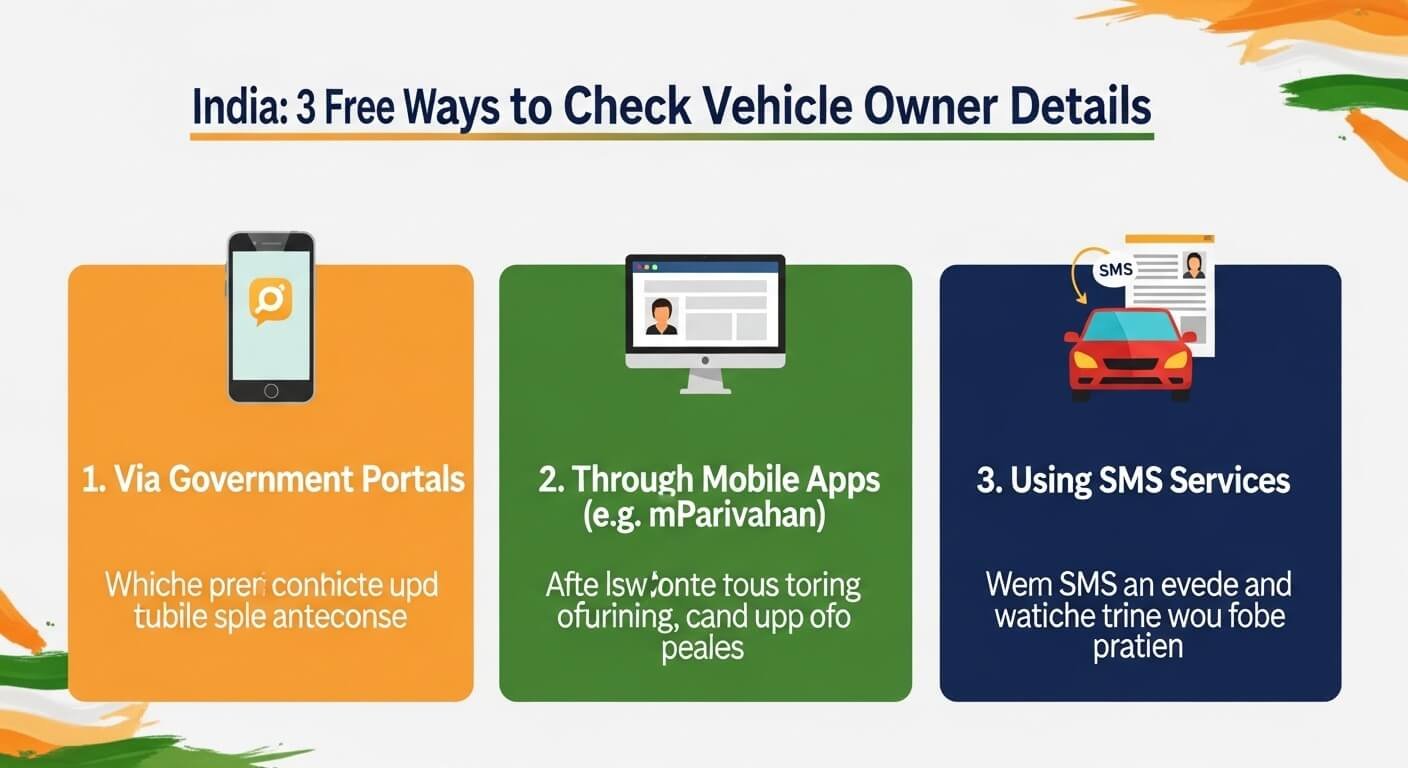
Method 1 — VAHAN Portal (parivahan.gov.in)
The VAHAN portal is the official national vehicle database run by India’s Ministry of Road Transport and Highways (MoRTH). It covers all registered vehicles across every Indian state and union territory.
Step-by-step:
- Open https://vahan.parivahan.gov.in/nrservices/ in any browser
- Click “Know Your Vehicle Details” in the top menu
- If you don’t have an account, click “Create Account” — enter your mobile number, email ID, and verify with OTP. Takes 60 seconds
- After logging in, enter the vehicle registration number exactly as it appears on the number plate (e.g., MH01AB1234)
- Enter the captcha code and click “Vahan Search”
- Your screen will display the vehicle owner’s details, RTO information, registration date, insurance status, and more
- What you’ll see: Owner name (partially masked), vehicle model, fuel type, registration date, RC validity, insurance validity, tax status, hypothecation details, fitness certificate status.
- Free? Yes — checking RC details on the Parivahan portal is completely free. Some service changes, like ownership transfers, carry fees, but lookup is zero cost.
- Works for: All Indian states. Maharashtra (MH), Delhi (DL), Karnataka (KA), Tamil Nadu (TN), Gujarat (GJ), Telangana (TS), Kerala (KL), Rajasthan (RJ), West Bengal (WB), and every other state use the same national portal.
Method 2 — mParivahan App (Official Mobile App)
The NextGen mParivahan app is the official mobile version of the VAHAN portal, available on both Android and iOS from the Ministry of Road Transport.
Download:
- Android: Search “mParivahan” on Google Play Store (by NIC, Ministry of Road Transport)
- iOS: Search “mParivahan” on the Apple App Store
Steps to check vehicle owner details:
- Download and install the app. Register with your mobile number
- On the dashboard, tap “Informational Services”
- Tap “RC Search” (Registration Certificate Search)
- Enter the vehicle’s registration number from the number plate
- Tap Search — owner name, engine number, chassis number, model, and registration details appear within seconds
Bonus feature: mParivahan lets you store digital copies of your own RC and driving licence in DigiLocker. If traffic police stop you and you don’t have physical documents, the app’s digital copies are legally accepted under the Motor Vehicles Act — an important change since 2021.
Works offline? No, you need an active internet connection. For areas with a weak signal, use the SMS method below.
Method 3 — SMS Service (Works Without Internet)
The SMS method is the fastest option when you need a quick check and don’t have internet access, or when you’re at a roadside and need information immediately.
How to use:
- Open your phone’s SMS app
- Type: VAHAN [space] [Vehicle Registration Number] Example:
VAHAN KA03AB1234 - Send this message to 7738299899
- Within a few minutes, you receive an SMS with owner details, vehicle model, and insurance information
Important note: The SMS service works for most vehicles but may not always return results for very recently registered vehicles or those with pending registrations. If the SMS comes back empty, use the VAHAN portal or mParivahan app as your fallback.
Cost: Standard SMS rates apply — typically ₹0 for most plans or the cost of one outgoing SMS. No app download, no internet, no login required.
State-Specific Portals — When You Need More Detail
The national VAHAN portal works for all states, but several states maintain their own portals with additional information not available nationally.
- Kerala (MVD Kerala): The Motor Vehicles Department Kerala operates at mvd.kerala.gov.in. Particularly useful for vehicle owner details, Kerala — the state portal sometimes shows more granular information than VAHAN for Kerala-registered vehicles.
- Karnataka (RTO Karnataka): Vehicle owner details in Karnataka are accessible at rto.karnataka.gov.in. The state portal integrates with the national VAHAN database for Karnataka-specific queries.
- Gujarat: Gujarat transport details are available at gujrat.gov.in/transport alongside the national portal. RTO Gujarat vehicle owner details follow the same GJ state code format (GJ01 = Ahmedabad, GJ02 = Surat, etc.).
- Telangana (TS): TS vehicle owner details are available both through VAHAN and the state’s transport portal. Registration numbers beginning with “TS” relate to Telangana vehicles — TS09 is Hyderabad (west), TS10 is Hyderabad (central), and so on.
- Rajasthan: Rajasthan vehicle number plate registrations begin with “RJ” — Jaipur is RJ14, Jodhpur is RJ19. All accessible through the national portal.
- West Bengal: WB vehicle owner details follow the national portal exactly. Kolkata registrations begin WB02 through WB04, depending on district.
- Maharashtra (MH): Maharashtra transport data, including MH vehicle owner details, is accessible through the VAHAN portal. Mumbai registrations typically begin MH01 through MH48.
Understanding the Indian Number Plate Format
Every Indian number plate follows a standard format that tells you exactly where the vehicle is registered.
Format: [State Code] [District Code] [Series] [Unique Number] Example: MH 01 AB 1234
- MH = Maharashtra (state)
- 01 = Mumbai South (RTO district)
- AB = Letter series (issued sequentially)
- 1234 = Unique number
Knowing the state and district code lets you anticipate which RTO’s database the vehicle belongs to and which state portal may provide additional information beyond the national VAHAN system.
Pakistan: How to Check Vehicle Owner Details and Registration
For Pakistani readers, the system is different from India’s but equally accessible — and increasingly digitized. Vehicle verification in Pakistan operates province-by-province through MTMIS (Motor Transport Management Information System) portals managed by each province’s Excise and Taxation Department.
Punjab Vehicle Verification Online
The Punjab MTMIS portal is operated by the Excise, Taxation and Narcotics Control Department of Punjab.
Official URL: https://mtmis.excise.punjab.gov.pk/
Steps:
- Visit mtmis.excise.punjab.gov.pk
- Enter the vehicle registration number exactly as shown on the number plate (e.g., LHR-1234 or LZR-1234)
- Complete the captcha and click Search
- Vehicle details, including owner name, registration status, token tax status, and make/model, appear instantly
- What you’ll see: Owner name, registration number, vehicle make and model, engine and chassis number, token tax status, any pending challans, and smart card status.
- Vehicle Smart Card Status Check Online Punjab: The MTMIS portal includes smart card verification — you can confirm whether a vehicle’s smart card has been issued and is valid, which is a critical check when buying a used vehicle.
- Punjab Vehicle Smart Card Download: If you are the registered owner and need to download your vehicle’s smart card status record, the MTMIS portal provides this under the owner services section after logging in with your CNIC.
- SMS method for Punjab: Send the vehicle registration number to 8785.
Vehicle Verification Punjab Online by CNIC
Pakistan is unique in offering CNIC-based vehicle verification — meaning you can check all vehicles registered under a specific person’s CNIC, not just by number plate.
- For Punjab CNIC verification: Visit mtmis.excise.punjab.gov.pk and select the “CNIC search” option. Enter the 13-digit CNIC number to see all registered vehicles linked to that identity.
This feature is particularly valuable for used car buyers. Before purchasing, ask the seller for their CNIC and verify that the vehicle you are buying is actually registered in their name — and that they don’t have undisclosed loans or challans on it.
- Excise and Taxation Punjab Online Verification: The full Excise and Taxation Punjab portal at excise.punjab.gov.pk provides broader services beyond vehicle verification including token tax payment and ownership transfer applications.
Sindh Vehicle Verification Online
Official URL: https://www.excise.gos.pk/vehicle/vehicle_search
Steps:
- Visit the Sindh Excise Department vehicle search portal
- Enter the vehicle registration number or the owner’s CNIC
- Submit with captcha
- Registration status, ownership details, tax status, challan records, and number plate verification results appear
MTMIS Sindh specific features:
- Ownership history (current and previous owners)
- Pending challans (cleared or active)
- Number plate authenticity verification
- Smart card verification
- Biometric verification integration through NADRA
SMS method for Sindh: Send the vehicle registration number to 8147.
Vehicle verification by CNIC — Sindh: Visit excise.gos.pk/vehicle/vehicle_search_by_cnic and enter the 13-digit CNIC number directly for all vehicles registered under that identity.
KPK (Khyber Pakhtunkhwa) Vehicle Verification
Official URL: https://www.kpexcise.gov.pk/mvrecords/
The KP Excise, Taxation and Narcotics Control Department portal allows registration number lookup for vehicles registered in KPK. Enter the vehicle number and retrieve registration status, owner details, and tax record.
Islamabad Vehicle Verification
Official URL: https://islamabadexcise.gov.pk/
Federal capital territory vehicles registered in Islamabad use the ICT portal. Registration numbers for Islamabad typically begin with “ISB” or “B.”
When Vehicle Owner Details Matter Most
- Before buying a used car or motorcycle: Verify that the seller’s name matches the registered owner. Check whether the vehicle has an active loan (hypothecation in India, bank encumbrance in Pakistan). Confirm insurance validity. Any mismatch between the seller’s identity and the registration record is a serious red flag.
- After a hit-and-run or road accident: Note the registration number immediately. Use the SMS method if you’re at the scene without internet. Owner details let you file an insurance claim, report to police, or pursue legal action.
- During a traffic police stop: In India, mParivahan allows you to show digital RC and DL as valid documents. In Pakistan, showing the MTMIS registration record on your phone is accepted as supplementary verification.
- For insurance claims: When your parked vehicle is damaged by an unknown vehicle, the registration number lookup gives you the insurance details of the responsible party’s vehicle — essential for third-party claims.
- Verifying stolen vehicle status: Both the VAHAN portal (India) and MTMIS systems (Pakistan) flag vehicles reported stolen. A quick check before any purchase can save you from buying a stolen vehicle and facing legal consequences.
Key Takeaways
- India: Three free official methods — VAHAN portal (parivahan.gov.in), mParivahan app, and SMS to 7738299899
- Pakistan: Province-specific MTMIS portals — Punjab (mtmis.excise.punjab.gov.pk), Sindh (excise.gos.pk), KPK (kpexcise.gov.pk), Islamabad (islamabadexcise.gov.pk)
- Pakistan SMS: Punjab sends to 8785; Sindh sends to 8147
- Pakistan CNIC search: Both Punjab and Sindh MTMIS portals support lookup by CNIC — not just registration number
- Privacy protection: In India, the Supreme Court’s ruling means only a partial owner’s name is displayed. Full address and phone number are not accessible online
- All services are free — checking registration and owner details costs nothing on official portals
- Buy with confidence: Always verify that the seller’s identity matches the registered owner before transferring money for any used vehicle
FAQs
Q: How do I check vehicle owner details by number plate in India?
Visit vahan.parivahan.gov.in/nrservices/, click “Know Your Vehicle Details,” create a free account with your mobile number, enter the registration number and captcha, then click Vahan Search. Alternatively, send an SMS: type VAHAN followed by the registration number and send to 7738299899. The mParivahan app (available on Play Store and App Store) also provides the same information through its RC Search feature. All three methods are completely free and work for any vehicle registered in any Indian state.
Q: Can I check vehicle owner details by chassis number?
Yes. On the VAHAN portal at parivahan.gov.in, go to “Vehicle Related Services,” select your state, choose “Know Your Vehicle Details,” and look for the chassis number search option. Not all RTOs expose chassis number lookup publicly, but the national portal supports it for most states. This is particularly useful if the number plate is damaged, missing, or appears tampered with — cross-referencing the chassis number confirms the vehicle’s true identity.
Q: How do I verify vehicle ownership in Punjab, Pakistan, online?
Visit mtmis.excise.punjab.gov.pk and enter the vehicle’s registration number. The portal shows owner name, vehicle details, token tax status, and any pending challans. You can also search by CNIC — enter the owner’s 13-digit CNIC number to see all vehicles registered in their name. This CNIC verification is the most important check when buying a used vehicle in Punjab, as it confirms the seller is actually the registered owner.
Q: What information is visible when I check vehicle owner details online?
In India, you can see the owner’s partially masked name, vehicle make and model, fuel type, engine and chassis number, registration date, RC validity, insurance expiry, road tax validity, hypothecation status (whether the vehicle is under a loan), and the registering RTO. Full address and phone number are not shown due to privacy regulations. In Pakistan, MTMIS portals show owner name, registration status, token tax status, pending challans, smart card status, and in Sindh, full ownership transfer history.
Q: Are vehicle owner details checks free for all states in India?
Yes — checking RC and ownership details on the Parivahan portal or mParivahan app is completely free for all Indian states and union territories. This includes Maharashtra, Delhi, Karnataka, Tamil Nadu, Gujarat, Telangana, Kerala, Rajasthan, West Bengal, Madhya Pradesh, and all others. The portal covers every state using the national VAHAN database maintained by the Ministry of Road Transport and Highways.
Q: What should I do if the vehicle details online don’t match what the seller is telling me?
If the registered owner’s name on VAHAN or MTMIS does not match the person selling you the vehicle, stop the transaction immediately. Either the vehicle has been sold previously without proper ownership transfer, the seller is not the legitimate owner, or the vehicle may be involved in a dispute. Request the seller to show their original RC, confirm their identity with their Aadhaar/CNIC, and verify the match before proceeding. If the vehicle has an active loan (hypothecation in India or bank encumbrance in Pakistan), the bank must give written consent before the transfer can proceed legally.