
What Is a Riser Desk? Desktop Riser & Standing Riser Guide
A riser desk (also called a desk riser or standing desk converter) is a platform that sits on top of your existing desk and allows you to raise your monitor, keyboard, and work surface to standing height — letting you alternate between sitting and standing without buying a new desk.
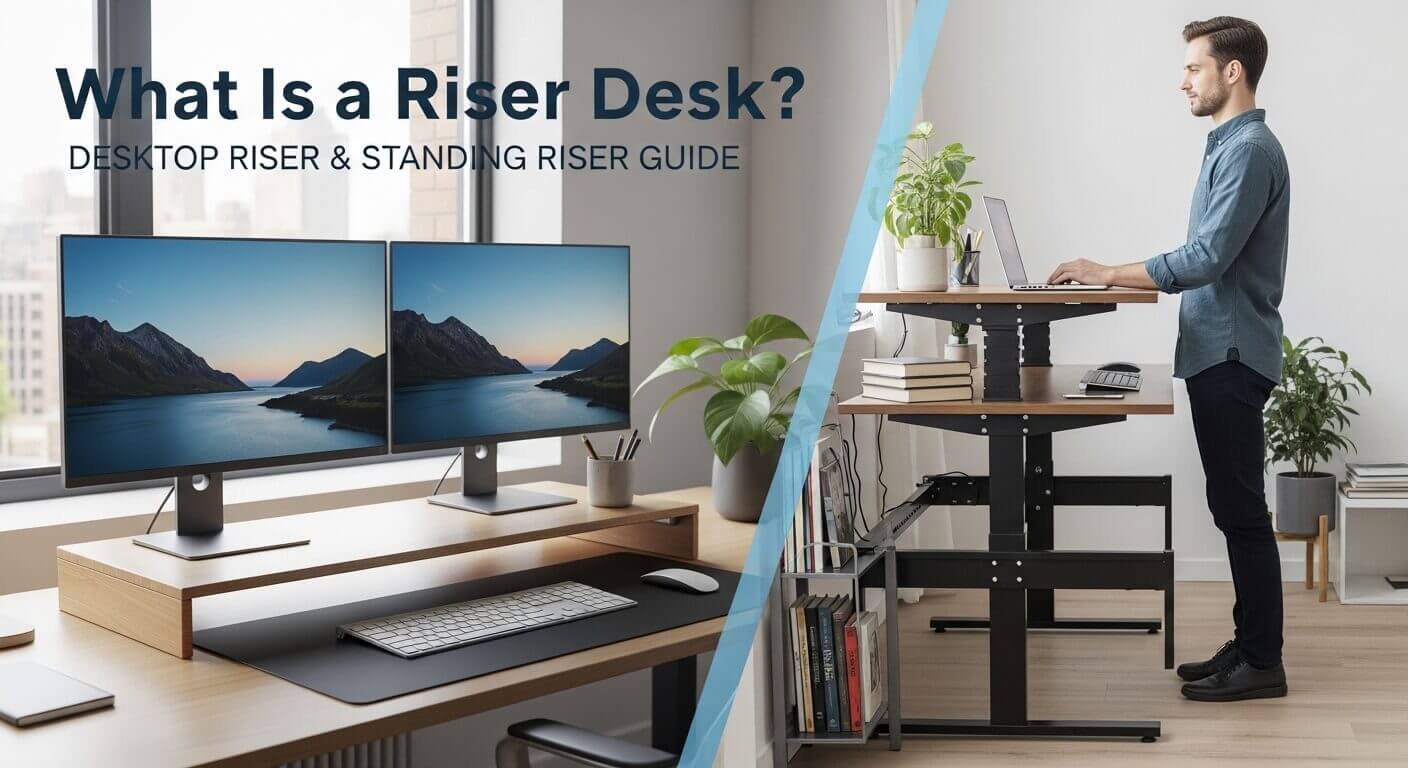
Quick answer: A desktop riser is a static platform placed on your desk to raise your monitor, laptop, or workspace items to a more ergonomic height. Unlike a standing desk riser (which adjusts between sitting and standing), a desktop riser stays at one fixed height and primarily prevents neck strain from looking down at a screen.
You’ve probably heard the term “riser desk“ thrown around in ergonomics conversations or seen one sitting on a colleague’s desk. But if you search for a clear explanation, you’ll find five different articles describing five different things — some call it a monitor stand, others describe it as a standing desk alternative, and a few seem to be selling you something before they’ve even told you what it is.
This guide explains what a riser desk actually is, the three distinct types that exist, what the research genuinely says about them, and — crucially — when you should skip buying one entirely. If you’re in Pakistan, there’s a dedicated section covering local prices in PKR and where to buy.
What Is a Riser Desk?
A riser desk is a platform that sits on top of your existing desk and raises your workspace — your monitor, keyboard, or full workstation — to a more comfortable height. It doesn’t replace your desk. It sits on it.
That single sentence describes three very different products, and the confusion between them is why so many people buy the wrong thing.
Type 1: Static Desktop Riser (Monitor Stand)
A fixed-height shelf, typically 4–6 inches tall, is placed under your monitor or laptop to bring the screen to eye level. It stays at one height permanently. Its only job is to prevent the neck strain that builds up from looking slightly downward at a screen for hours every day.
- Price: $25–$80 / PKR 2,000–6,000
- Best for: Neck and upper back tension from a lowered screen
Type 2: Manual Sit-Stand Converter
A height-adjustable platform that raises your entire workstation — monitor, keyboard, mouse — from sitting height to standing height and back again. This is what most people actually mean when they search “desk riser” or “standing desk riser.” It uses a gas spring, scissor lift, or lever mechanism to adjust.
- Price: $100–$350 / PKR 15,000–45,000
- Best for: Alternating between sitting and standing throughout the day
Type 3: Electric Standing Desk Converter
Same function as the manual converter, but with a button to control the height adjustment. Press up, press down. Some models save preset heights for different users.
- Price: $300–$500+ / PKR 45,000–90,000+
- Best for: People who want zero friction in position changes
Understanding the difference matters before you spend anything. A $35 monitor stand will not give you a sit-stand workstation. A $300 electric converter is unnecessary if your only problem is neck pain from a lowered screen.
Desktop Riser vs Standing Desk Riser — What’s the Real Difference?
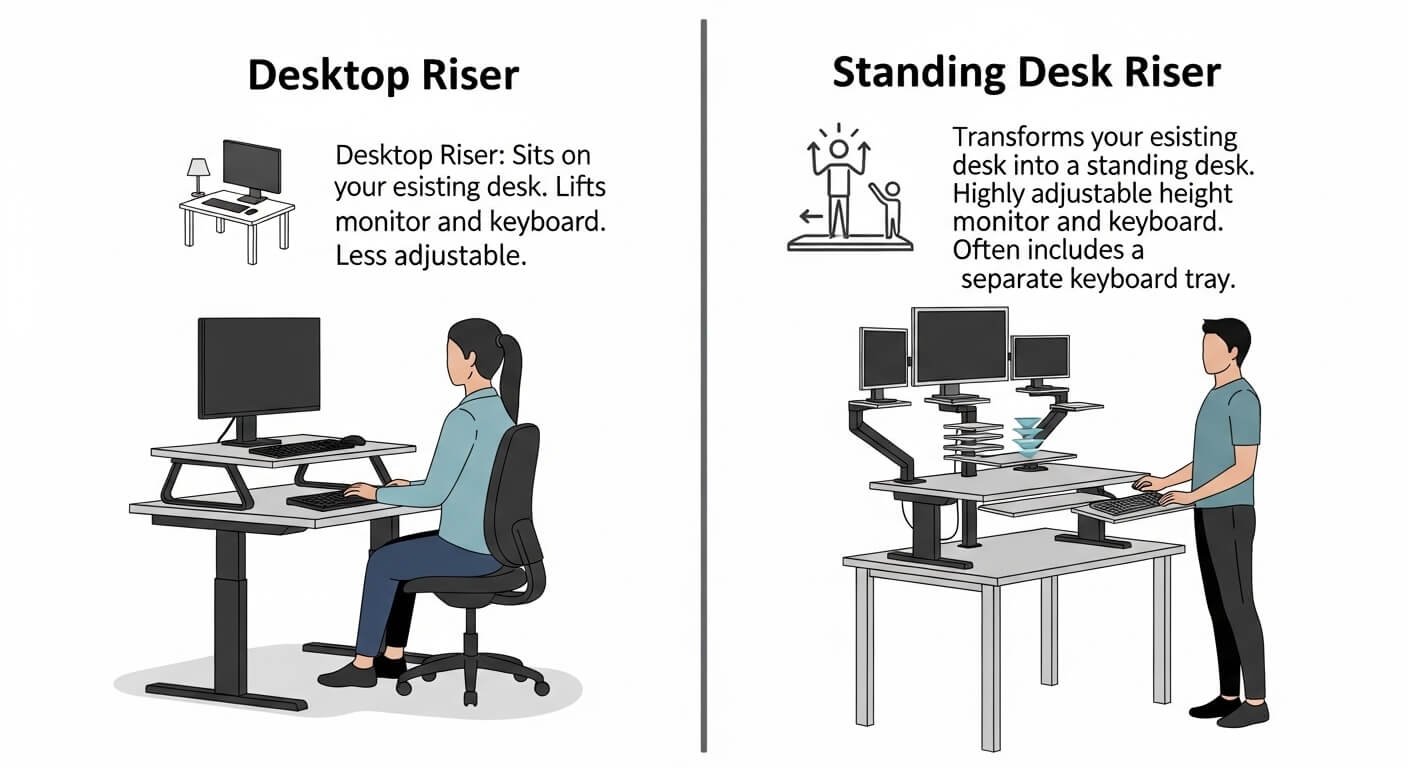
These two terms get used interchangeably online, and they describe fundamentally different products.
A desktop riser is static. It lifts your screen 4–6 inches to eye level and stays there. It solves one specific problem: the cervical spine compression that builds from years of looking slightly downward. Research in spinal biomechanics shows that a head tilted just 30 degrees forward exerts roughly 40 lbs of force on the cervical spine — compared to 10–12 lbs in a neutral upright position. A monitor stand that brings your screen to eye level eliminates that load entirely, for under $50.
A standing desk riser — properly called a sit-stand converter — is adjustable. It moves your entire work surface anywhere from 6 to 20 inches above desk level, accommodating both sitting and standing positions. This is the product the ergonomics research is actually about.
If you want to stop your neck from aching while seated, a basic monitor stand does the job. If you want to alternate between sitting and standing, you need an adjustable converter. They are not the same product.
What Is the Point of a Riser Desk — Does the Research Actually Support It?
This is the question most riser desk articles avoid answering honestly. Here’s what the evidence genuinely shows.
What the Research Supports
A year-long study at Mount Sinai, sponsored by Steelcase, followed workers using height-adjustable desks and found that after 12 months, 47% reported a significant reduction in upper back, shoulder, or neck discomfort, and 65% reported better concentration. Productivity improved. Comfort improved. The results held at the one-year mark.
A 2025 scoping review published in BMC Public Health analyzed 17 studies involving 2,886 university students. Seven studies found improved movement patterns. Four found improvements in mental health outcomes, including reduced anxiety, lower stress, and better mood.
What the Research Doesn’t Support
A 2024 Australian study following over 83,000 participants found that prolonged static standing — standing in one position all day — does not improve cardiovascular health and may increase risk of circulatory problems, including varicose veins.
The conclusion both sets of research point toward is the same: the benefit comes from alternating between sitting and standing, not from standing itself. A desk riser that makes position changes effortless enough to happen every 30–60 minutes is a genuinely useful ergonomic tool. A desk riser you set to standing height and never move isn’t better than staying seated.
The product doesn’t produce the health benefit. The behavior does. The riser just removes the friction between positions.
How Does a Riser Desk Work? The Three Mechanisms Explained
Gas Spring
The most common mechanism in quality mid-range converters. An internal pressurized gas cylinder counterbalances the weight of your monitors and accessories. To adjust, you grip the release handles on both sides, lift slightly to release the lock, move the platform to your preferred height, and let go to lock in place. The whole process takes about three seconds.
Gas spring risers are the sweet spot for most users — smooth enough for multiple adjustments per day, reliable enough to last years, and priced in the $150–$350 range. Good examples include the Ergotron WorkFit series and the Branch Riser Desk.
Electric Motor
A button adjusts the height. Some models include memory presets so you can return to your preferred sitting and standing heights instantly. Maximum convenience, maximum price. Justified for users who change positions frequently, share a workstation with someone of a different height, or have limited upper body strength.
Scissor Lift (X-Frame)
A crisscrossing frame that expands and contracts to change height — similar in principle to a car jack. Manual effort is required to adjust. The most affordable sit-stand option at $80–$180 / PKR 12,000–22,000. Fine for once or twice daily position changes, but adjustment friction makes frequent switching feel like work rather than routine.
One design detail worth knowing: Two-tier converters place the keyboard tray lower than the monitor platform. This maintains the correct 90-degree elbow angle when you’re standing. Single-tier designs put keyboard and monitor at the same height, which forces awkward arm positioning for many users while standing. For all-day use, the two-tier design is worth the additional cost.
What Is a Riser Desk Used For? Six Real-World Applications
- Correcting monitor height for neck pain relief: The most common use. Raising a screen from flat-on-desk to eye level eliminates the forward head posture that causes upper back and neck tension in seated workers.
- Sit-stand alternation for health: Breaking up long sedentary periods by switching between sitting and standing. The research-backed application — effective when you actually alternate, ineffective when you set it and forget it.
- Budget ergonomics without replacing your desk: A quality sit-stand converter costs $150–$350. A motorized full standing desk starts at $400, and quality options run $800–$1,200. For renters, cubicle workers, or anyone not ready to replace their desk, a converter delivers the core benefit at a fraction of the cost.
- Workspace organization: Static risers create usable storage beneath them — a keyboard shelf, a drawer for small items, or clean visual separation between screen and work zones. In small apartments and offices, this vertical organization meaningfully improves how a workspace functions.
- Portable ergonomics for remote workers: Lightweight converters (under 15 lbs) travel between home and office. Remote workers using different desks throughout the week get consistent ergonomics regardless of whatever surface they land on.
- Sit-stand capability in cubicles and shared offices: In spaces where you can’t modify furniture — corporate cubicles, co-working desks, rented offices — a riser desk is the only way to create a sit-stand workstation without facilities department approval. It requires no installation and takes seconds to remove.
Are Desk Risers Worth It? The Honest Answer
Most desk riser reviews tell you when to buy. This section tells you both.
Worth It If:
You sit for six or more hours daily and experience tension in your upper back, shoulders, or neck. You will genuinely alternate positions — not just intend to. Your budget is under $400. You rent your space or work in a shared environment where you can’t replace furniture.
Not Worth It If:
- You won’t actually stand: This is the most common outcome and the one no product review mentions. Many buyers use their converter enthusiastically for two weeks and leave it at sitting height permanently. Before spending $200, ask yourself honestly whether you’ve successfully built other physical habits at your desk. If the answer is no, a $30 static monitor stand delivers equal real-world benefit, because you’ll end up using both products identically.
- You have an L-shaped desk: Sit-stand converters work cleanly on straight rectangular surfaces. On corner desks, the converter occupies one section while the adjacent section stays at sitting height — an awkward mismatch for dual-monitor setups that span both sections.
- You need your full desk surface: A 32-inch converter on a 48-inch desk leaves only 8 inches on each side. If you work with physical documents, notebooks, or reference materials spread across your desk, the lost surface area is a real cost, not a minor inconvenience.
- You plan to stand all day: The 2024 Australian study is clear: prolonged static standing carries its own health risks. If your plan is to stand all day instead of sitting all day, you haven’t solved the problem — you’ve just changed it.
The Two-Stage Approach That Actually Works
Start with a $30–$50 static monitor stand and genuinely good seating posture. Give it 30 days. If neck and shoulder tension improves significantly, you’ve solved the problem for under $50. If you still want sit-stand capability, add a converter — and commit to a specific, scheduled behavior before you buy: “I’ll stand for the first 20 minutes of every hour” and set a phone reminder for the first two weeks. After two weeks, you’ll know whether the habit sticks before you’ve committed $250 to it.
Riser Desk vs Full Standing Desk — Which Should You Choose?
| Factor | Riser Desk (Converter) | Full Standing Desk |
|---|---|---|
| Price | $100–$400 | $400–$1,200+ |
| Installation | None — place on any desk | Assembly required |
| Desk surface | Reduces available area | Full surface retained |
| Portability | Fully portable | Not portable |
| Stability at height | Good, slightly less at max | Consistently stable |
| Cable management | Challenging | Built-in cable channels |
| Best for | Testing sit-stand, renters, offices | Committed home office users |
The practical decision comes down to one test: are you confident enough in your sit-stand habit to justify the price difference and the permanence? Start with a converter. If, after six months, you’re consistently using it and loving the feel, upgrade to a full standing desk as an informed investment. If you discover you rarely stand, you spent $150 to learn that rather than $700.
How to Choose the Right Desk Riser
Step 1 — Name your actual problem
Neck pain from a lowered screen → static monitor stand ($25–$80) Want to alternate sitting and standing → manual sit-stand converter ($150–$350) Want zero friction in adjustments → electric converter ($300–$500+) Tight budget, occasional position change → scissor lift ($80–$150)
Step 2 — Measure your desk before ordering
Check your desk width. A common mistake is buying a 32-inch converter for a 36-inch desk and discovering you have no room for a mouse. Check your desk depth too — some converters are 25–28 inches deep and consume most of a shallow desk’s front-to-back space.
Step 3 — Check the weight capacity
Dual-monitor setups can reach 30–40 lbs with keyboard and accessories. Budget scissor lift converters often cap at 22–26 lbs and wobble at maximum height under a heavy load. Confirm weight capacity before buying, not after.
Step 4 — Confirm your standing height
Measure the distance from the floor to your ideal keyboard height while standing (elbows at 90 degrees). Subtract your desk height (typically 29–30 inches). The result is the minimum lift height your converter needs. Many converters max out at 17–19 inches — enough for users up to around 6’2″. Very tall users should verify maximum adjustment height before purchasing.
Desk Riser in Pakistan — What’s Available and What It Costs
Pakistan’s ergonomic furniture market is growing but still developing. Here’s the honest picture in 2026.
- Basic monitor stands (static desktop risers): Available widely on Daraz.pk from local importers. Bamboo and wood options are popular and widely stocked. Price range: PKR 2,000–6,000. This solves neck pain from a lowered screen at the lowest practical cost.
- Manual sit-stand converters: Available from specialist suppliers, including ErgoSmart.pk and Dexx.pk — both of which specifically market ergonomic solutions for Pakistani office workers dealing with back pain and posture issues from traditional desk setups. Price range: PKR 20,000–45,000, with variation depending on import timing and currency rates.
- Electric converters: Mostly special-order. Price range: PKR 45,000–90,000+, with significant variation based on dollar exchange rates at the time of import.
- Practical advice for Pakistan buyers: If neck pain from a lowered screen is your primary problem, start with a Daraz monitor stand in the PKR 2,000–4,000 range. It directly solves the problem. If you genuinely want sit-stand capability, contact ErgoSmart.pk or Dexx.pk directly for current pricing before ordering — import costs shift frequently, and listed prices don’t always reflect the current rate.
Clearing Up Three Commonly Confused Terms
- What is a riser key? Completely unrelated to desk risers. A riser key is a long-handled T-bar plumbing tool used to operate underground water or gas main valves. If you searched “riser key” looking for office ergonomics, the correct terms are “desk riser,” “monitor stand,” or “sit-stand converter.”
- Why is it called a riser room? An architectural term for a utility shaft in a multi-story building. Vertical service pipes (water, gas, electrical conduit) are called “risers” because they rise through the building floor by floor. The room housing them is the riser room. Nothing to do with office furniture.
- What is a risek tablet used for? “Risek” (with a k) is a phonetic variation and may refer to a regional brand or a misspelling of “riser tablet” — a tablet holder or stand used as a desk accessory. If you’re looking for a tablet stand for your desk, search “tablet stand” or “tablet holder” for the clearest results.
Key Takeaways
- A riser desk is a platform that sits on your existing desk — not a replacement for it
- Three distinct types exist: static monitor stands ($25–$80), manual sit-stand converters ($100–$350), and electric converters ($300–$500+)
- The health benefit comes from alternating between positions, not from standing itself
- Desk risers are worth buying if you sit 6+ hours daily and will actually use them to change positions
- They’re not worth buying if you won’t stand, have an L-shaped desk, or need your full work surface
- In Pakistan: monitor stands on Daraz from PKR 2,000–6,000; converters from ErgoSmart.pk and Dexx.pk from PKR 20,000–45,000
- “Riser key” and “riser room” are unrelated terms — a plumbing tool and a building utility shaft, respectively
FAQs
Q: What is the difference between a riser desk and a standing desk?
A standing desk replaces your entire desk with a height-adjustable surface. A riser desk sits on top of your existing desk. Standing desks cost $400–$1,200+ and require assembly. Desk risers cost $100–$400 and take seconds to set up. For most people testing sit-stand working for the first time, a riser is the smarter starting point — you find out whether you’ll actually use the feature before committing to a full desk replacement.
Q: How high should a desk riser be set when standing?
When standing, your elbows should be at roughly 90 degrees with forearms parallel to the floor. For most adults, this places the keyboard surface at approximately 38–44 inches from the floor, depending on height. The top of your monitor should sit at or just below eye level. Before purchasing a converter, subtract your desk height (typically 29–30 inches) from your ideal standing keyboard height — the result is the minimum lift you need. Confirm the converter’s maximum height reaches that figure.
Q: Are desk risers worth it for back pain?
For upper back and neck pain caused by poor monitor positioning or prolonged sitting, yes — with an important qualification. The benefit comes from alternating between sitting and standing every 30–60 minutes, not from standing all day. The Mount Sinai study found 47% of users reported a significant reduction in upper back discomfort after 12 months of consistent use. If your back pain has a structural cause rather than a postural one, consult a physiotherapist before purchasing a desk riser may not be the right solution.
Q: Can I use a riser desk with dual monitors?
Yes, but check two specifications before buying. First, surface width: dual monitor setups typically need at least 32 inches of converter width. Second, weight capacity: two monitors with stands can reach 25–35 lbs before adding a keyboard and accessories. Many budget converters cap at 22–26 lbs and wobble under a heavier dual-monitor load. Gas spring converters in the $200–$350 range generally handle dual monitor setups more reliably than budget scissor lift models.
Q: How much does a desk riser cost in Pakistan?
Static monitor stands are available on Daraz.pk for PKR 2,000–6,000. Manual sit-stand converters from specialist suppliers, including ErgoSmart.pk and Dexx.pk, range from PKR 20,000–45,000. Electric converters are mostly special-ordered at PKR 45,000–90,000+, with prices varying based on import timing and dollar exchange rates. For most Pakistani buyers whose primary issue is neck pain from a lowered screen, a Daraz monitor stand in the PKR 2,000–4,000 range is the most direct solution.
Q: Do desk risers damage the desk underneath?
Standard desk risers sit flat on the desk surface and are not attached — they rest on rubber feet that distribute the weight without scratching or marking the surface. No installation, no drilling, no adhesive. When you remove the riser, the desk looks exactly as it did before. The only exception is very heavy converters (electric models over 30 lbs) placed on glass-top desks, where point-load concentration from the feet can occasionally cause stress over time — check the desk manufacturer’s weight rating if this applies to you.